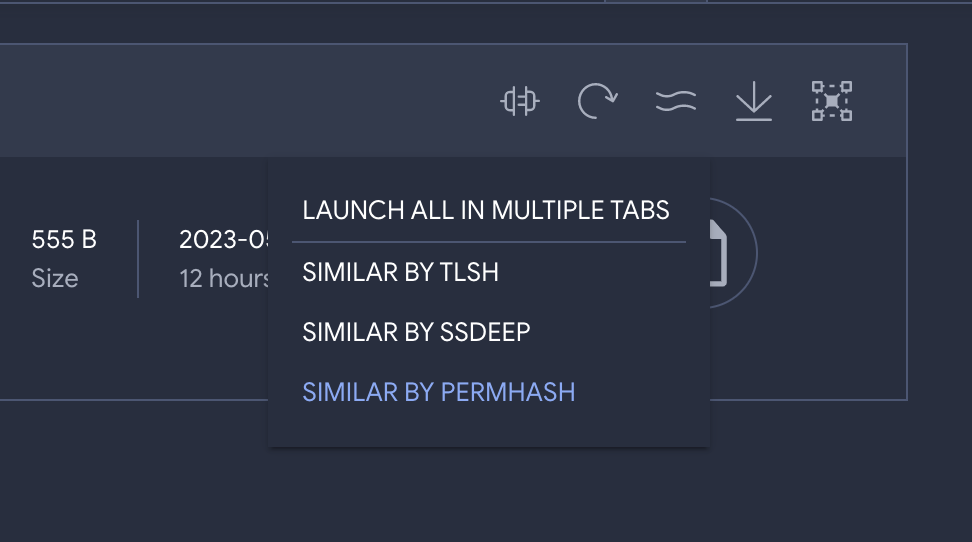
TL;DR: VirusTotal allows you to search for similar files according to different orthogonal notions (structure, visual layout, icons, execution behaviour, etc.). File similarity can be combined with the “have:” search modifier in order to gain more context about threats, e.g. what are the emails or URLs that distribute them.
This is the second blog post in our similarity series, the first article focused on how to trigger file similarity searches and the different similarity vectors at your disposal. In the context of this series we have also done a webinar that can be viewed on-demand, it focuses on using similarity to automatically produce optimal YARA rules to detect a given malware framework/family/campaign via VTDIFF.
This situation might sound familiar. As a SOC analyst or Incident Responder you are often confronted with files you know nothing about. Your SIEM describes their internal sightings and actions but fails to transmit the bigger picture. You are constrained by the narrow visibility of your corporate logs. Context is king and the problem is that you are fighting threat actors that operate globally with just a piece of the puzzle, your local data.
What is this file? Who is behind it? What is their modus operandi? How did it get there? Are there other related components? What does it do? Are there other variants that could have impacted my organization in the past? Any that could impact us in the future? How do I contain it? Your SIEM, case management system, EDR, firewall, IDS etc. don’t answer these questions. You are missing a necessary layer in your defense-in-depth security strategy.
VirusTotal is your saving grace. You jump into VT ENTERPRISE and look up the hash: threat reputation is useful, but you need further context. Your task is to identify IoCs that can be used for remediation, e.g. by blocking a command-and-control domain in the network perimeter, as well as artefacts that can be used for proactive threat hunting purposes, to determine whether there has been a breach and what is its scope. The issue is that sometimes VirusTotal does not have full context for a specific individual file in terms of sandbox reports, in-the-wild sightings, relationships, etc. and so your investigation might end here.
How to do it better
Isolated hashes are of limited value. Many times they are unique per victim or campaign, so a better idea would be finding the cluster/family/campaign they belong to in order to unearth remediation IoCs and threat hunting patterns. Most importantly, you need to leverage those groupings in order to surface command-and-control domains, dropzones, distribution URLs, phishing emails, etc. that can be used for mitigation and containment, and, to build proper understanding and situational awareness.
Similarity and the “have” search modifier to the rescue. Let’s imagine the initial hash that popped up as an alert in our environment was a first stage EMOTET dropper, i.e. a document that delivers a malicious payload through macros.
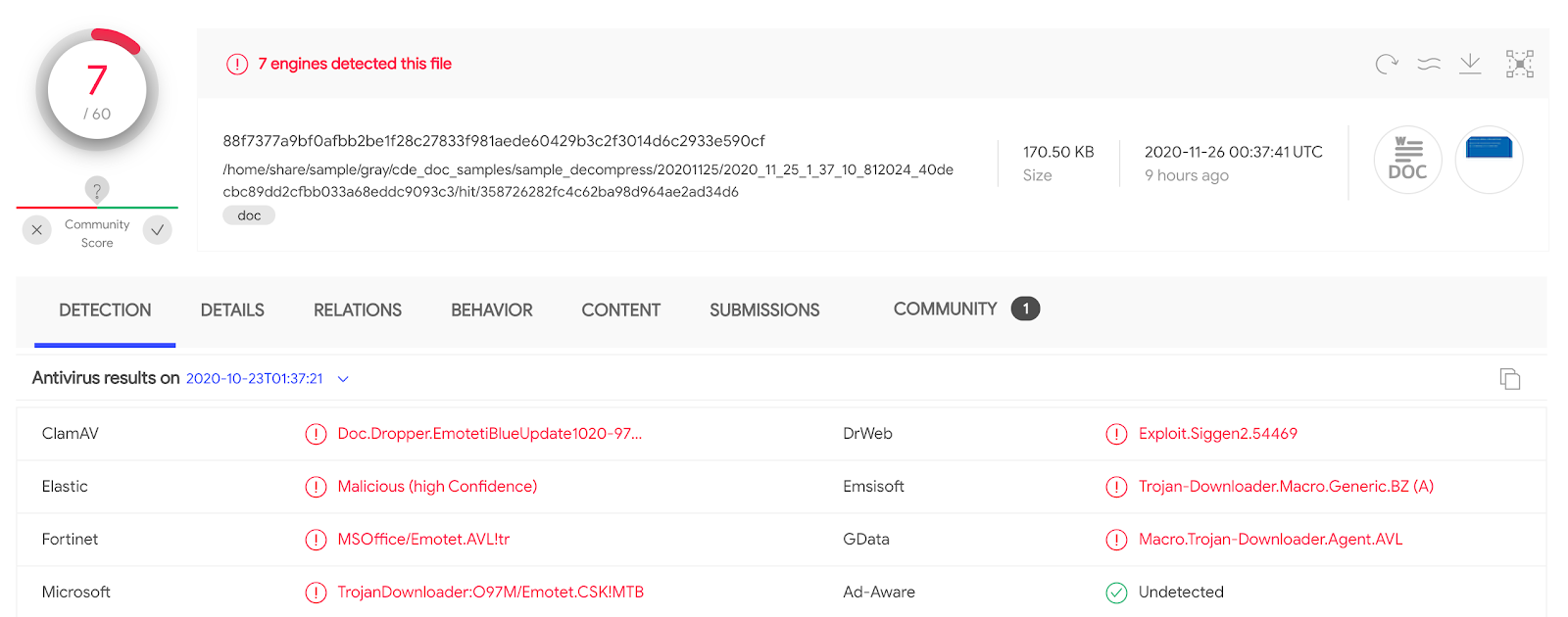
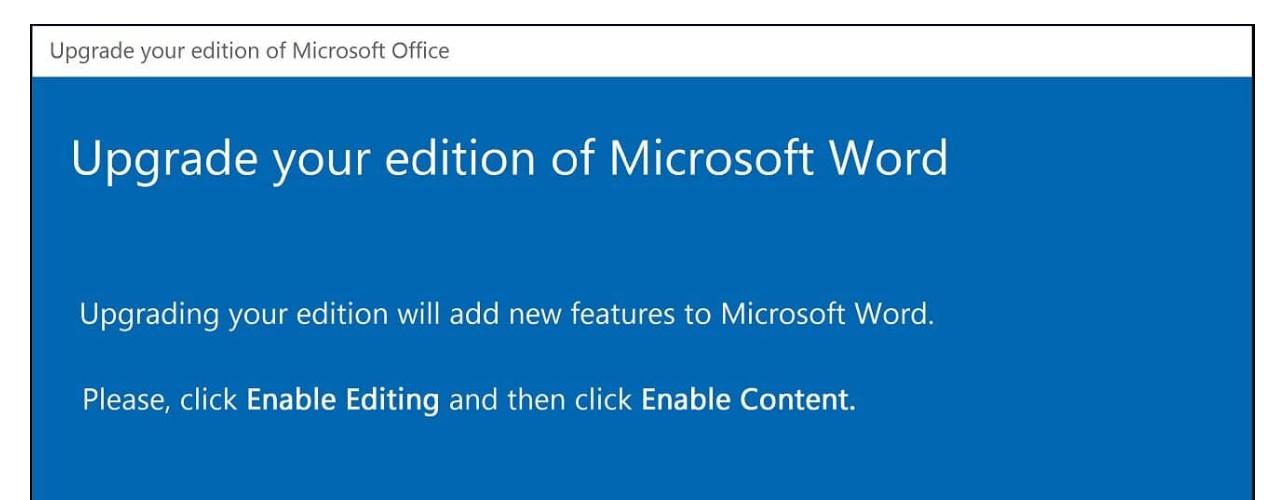
Threat reputation allows you to perform an immediate first assessment (alert triage), but other than that there is little context in terms of remediation IoCs and hunting artifacts. We still know nothing about how this file gets distributed, i.e. its delivery vector. Similarly, we fully ignore whether this is something spear phished exclusively against our organization or part of a larger campaign. What about the threat network infrastructure? Does it download additional payloads? Does it communicate with a command-and-control?
The next step in an incident response engagement - and this is what most analysts fail to do - is to jump into the file’s cluster (its family/framework/campaign) in order to expand context and surface IoCs. This is just one click away:
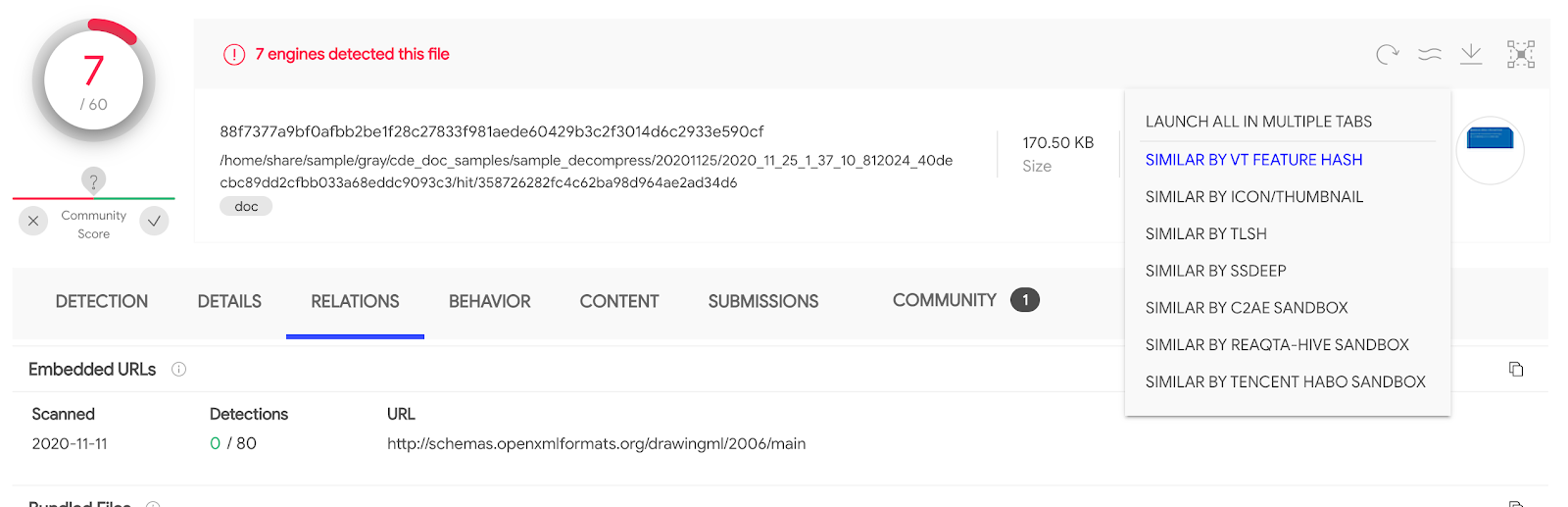
For documents there is a limited number of approaches to find similar files (other file formats will expose more), this said, they are very rich because they are fully orthogonal: structural features, visual layout, local sensitive fuzzy hashing, execution behaviour similarity. Let’s jump to other similar files based on the document’s visual layout by clicking on “Similar by icon/thumbnail” or on the thumbnail itself, located in the top right: main_icon_dhash:23232b2b00010000.
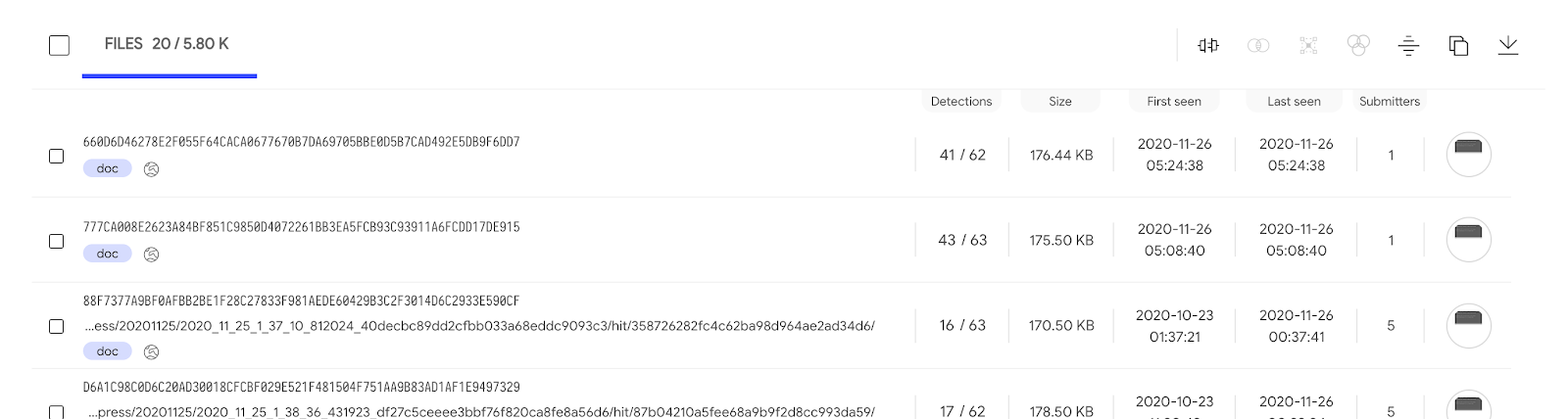
There are too many matches, we would have to iterate over every single one in order to surface particular patterns that may allow us to understand the campaign.
Finding phishing emails that distribute the threat
We can narrow down the search above to match exclusively those files that have been seen as an attachment in some email uploaded to VirusTotal:
main_icon_dhash:23232b2b00010000 AND have:email_parents
(Note that you can also use tag:attachment instead of have:email_parents)
We can now run through the matching files, open up their Relations tab and jump into the pertinent email parent, so as to understand the deception techniques being used in the campaign:
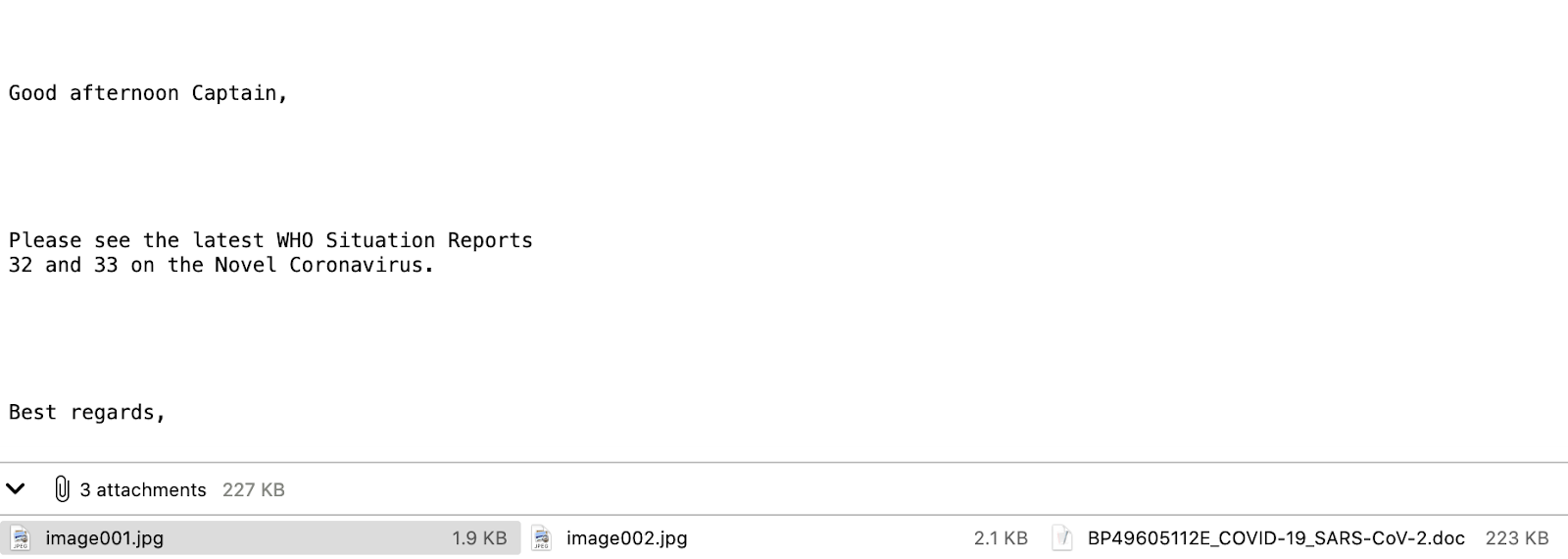
This particular instance poses as some kind of World Health Organization report on COVID. It is important to inspect all the other emails because not only will they tell us more about the lures, it will also allow us to identify targeted industries, geographical spread, activity time spans, etc. For instance, there could be other localized variants that could be targeting some other corporate branches. Access to these emails will not only give us greater insight into the attacker, it is also something we can leverage tactically in order to improve filtering in our email gateways.
Discovering URLs that distribute this threat
We want to see if this campaign is also being distributed via download URLs. If that´s the case we can block them in our network perimeter or use them to search across web proxy logs. Let’s ask VirusTotal whether any of the files in the cluster have associated in-the-wild URLs:
main_icon_dhash:23232b2b00010000 AND have:itw
We can now jump into the Relations tab in order to export these additional IoCs:
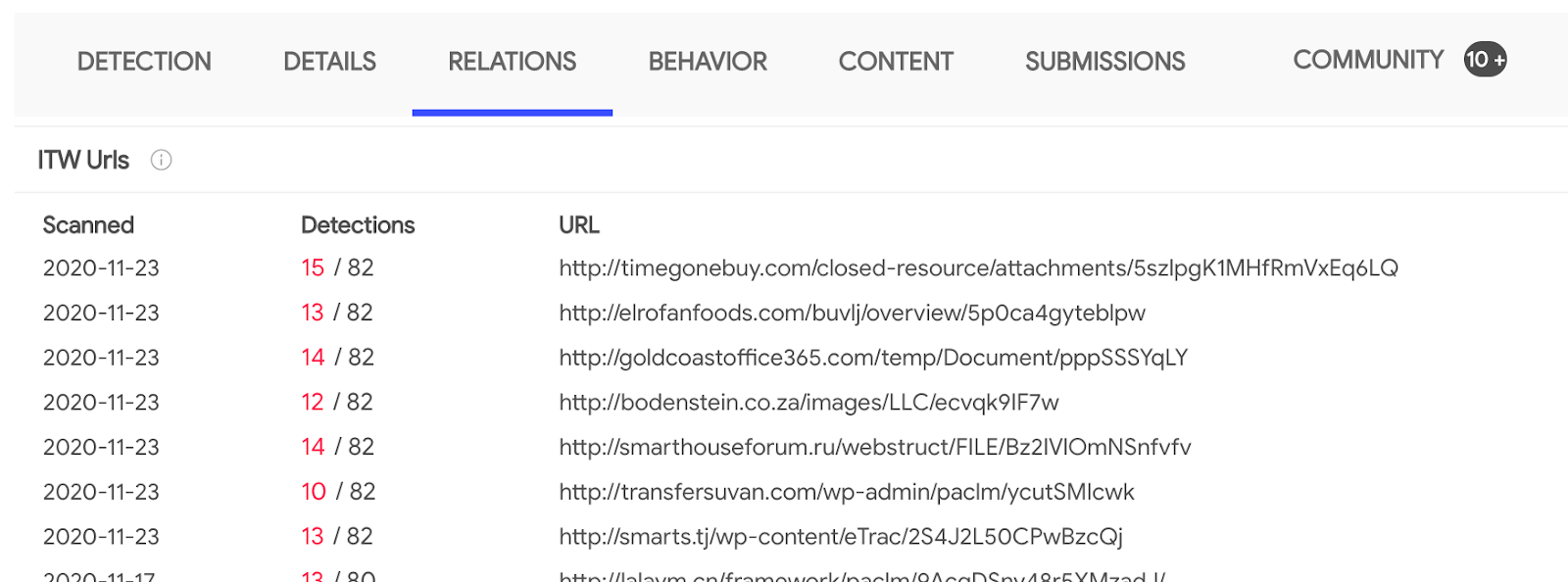
There are over 3K files with in-the-wild URLs, note that we can automate all of this via the API.
Identifying command-and-control/exfiltration infrastructure
The next step is to understand whether any of the machines in our corporate fleet are beaconing out to infrastructure tied to this campaign. At the same time, we will probably want to block the CnC and exfiltration points in order to mitigate the impact of historical undetected breaches. Let’s filter down the search to focus exclusively on those files that exhibited network communications when executed in a dynamic analysis sandbox:
main_icon_dhash:23232b2b00010000 AND have:behaviour_network
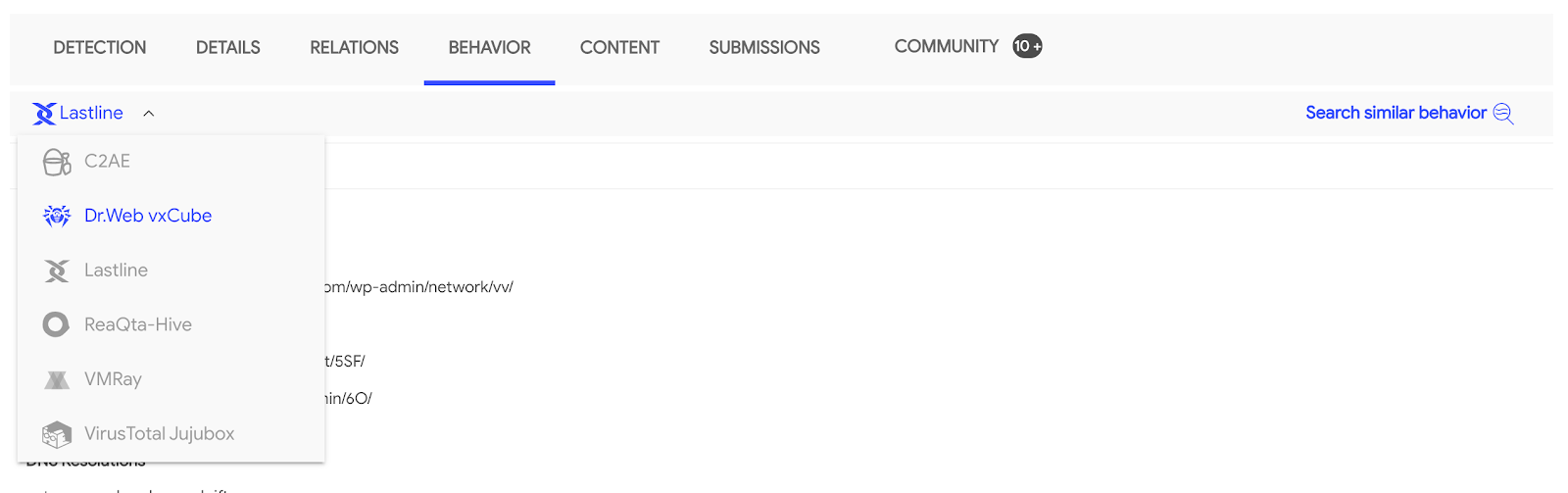
Most of the matching files have been analysed by several sandboxes participating in our multi-sandbox effort. This gives us unparalleled visibility into the campaign. For an attacker it is easy to evade a single sandbox, it is far more complex to do so for 17+ of them at the same time. Each one of them set up in a different geographical region, going out to the internet through a different IP address, running different OS versions, with different software and language packages installed, etc. As a result, we now have very interesting sightings in terms of infrastructure:
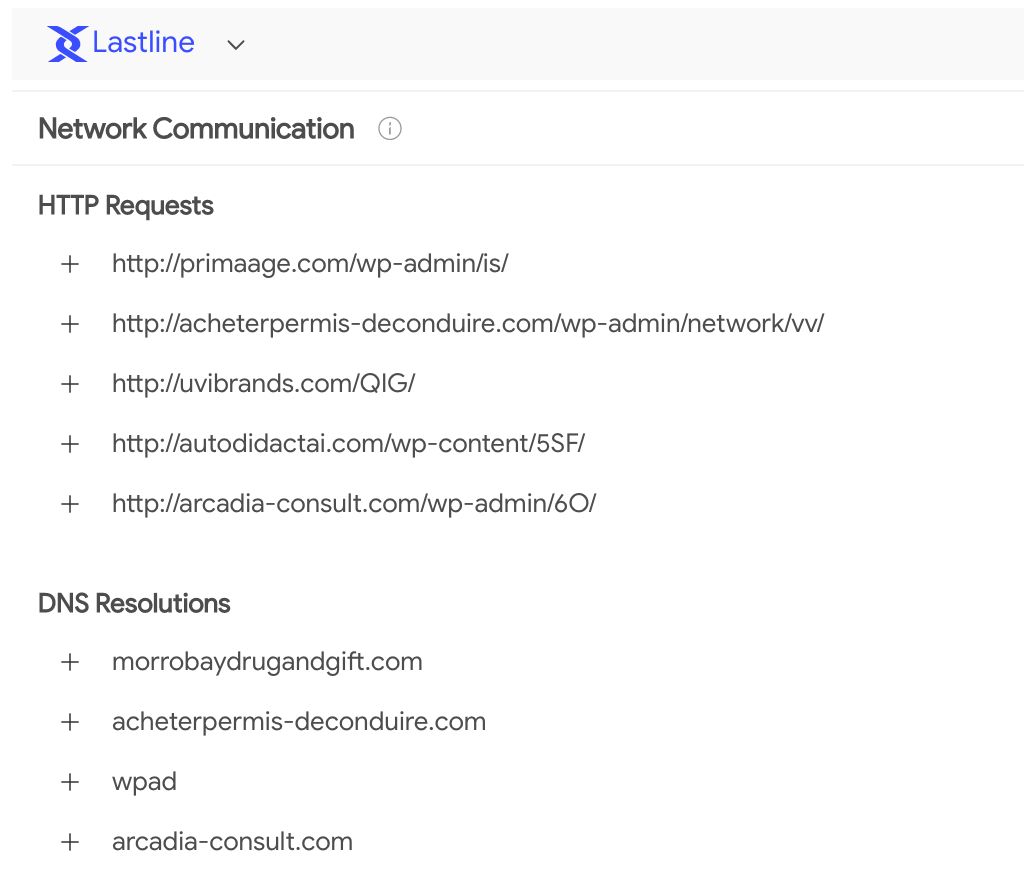
These communication points can be very easily triaged. Remember that VirusTotal also characterizes domains, IP addresses and URLs. Threat reputation for these domains further confirms that they are accurate IoCs:
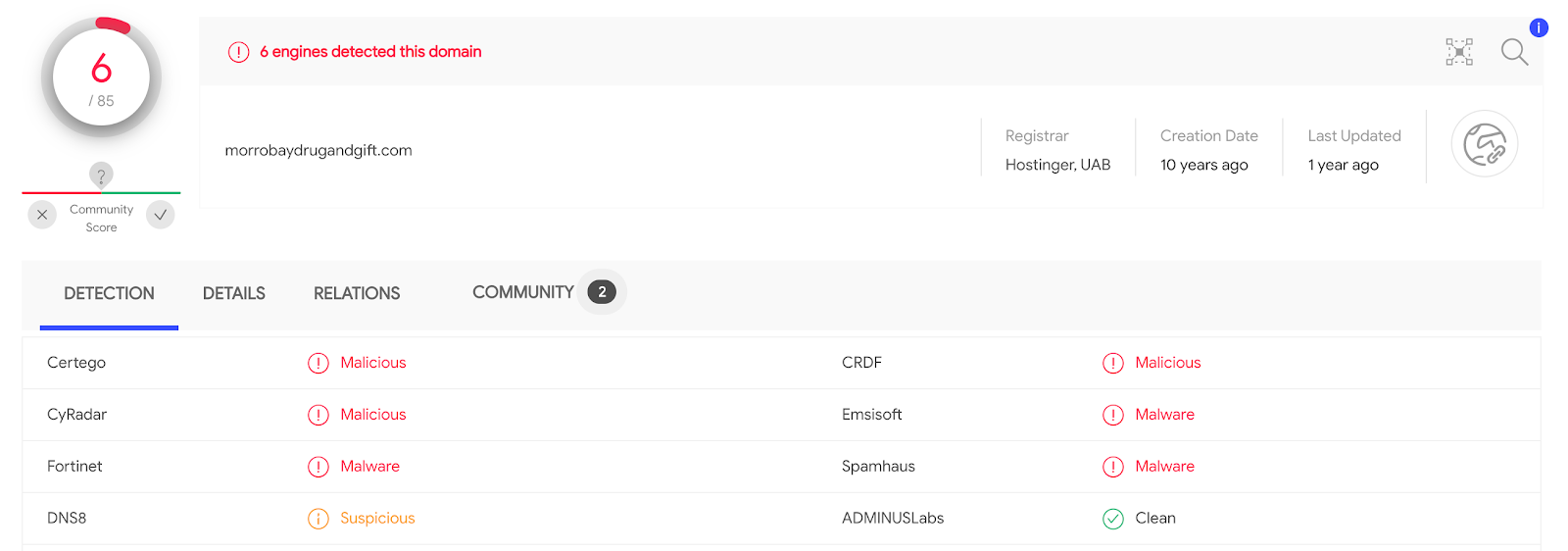
The domain relationships (in-the-wild sightings) tell the same story:
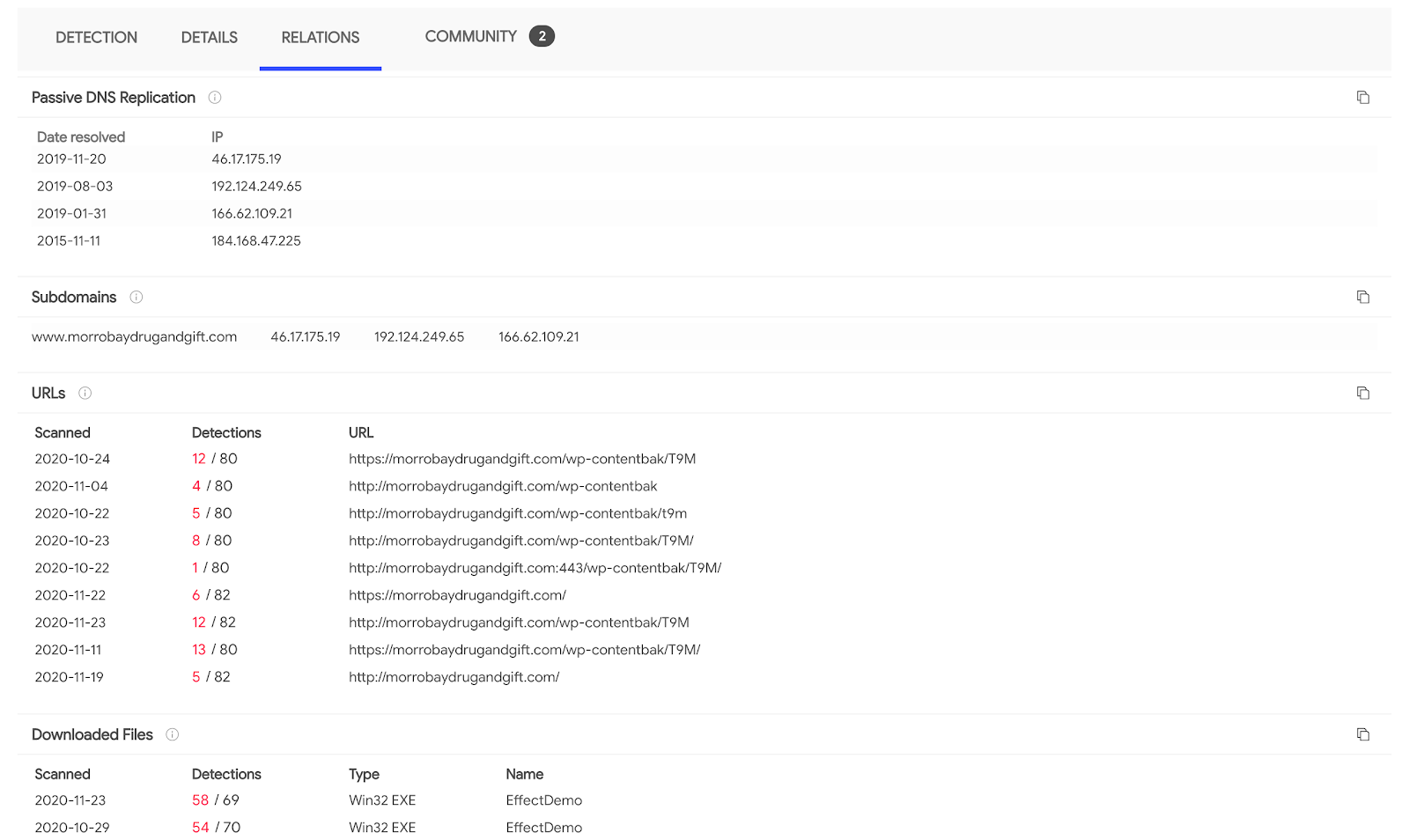
We now have additional IoCs that we can feed into our stack in order to proactively defend our organization from other variants. As a bonus point, pivoting to other campaign files that have sandbox behaviour reports allows us to shed more light into other TTPs that we might be tracking via MITRE ATT&CK (e.g. installation, actions on objectives, etc.).
Gaining context through the community
Furthering on the use of the “have” search modifier, we can also leverage it to find files on which some VT Community user has placed a comment providing more context:
main_icon_dhash:23232b2b00010000 AND have:comments
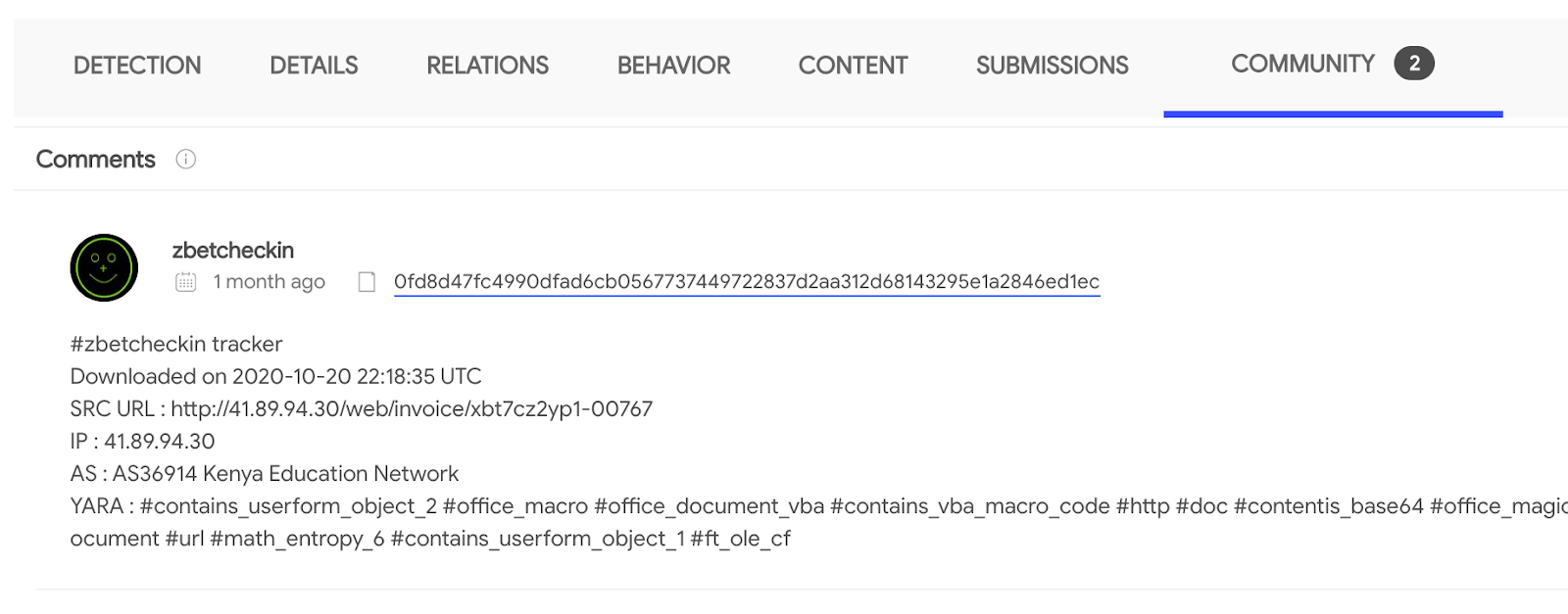
Community comments often give us interesting details in terms of in-the-wild observations, malware capabilities, reverse engineering reports, attribution, etc. For example, in this particular case we learn about additional distribution URLs:
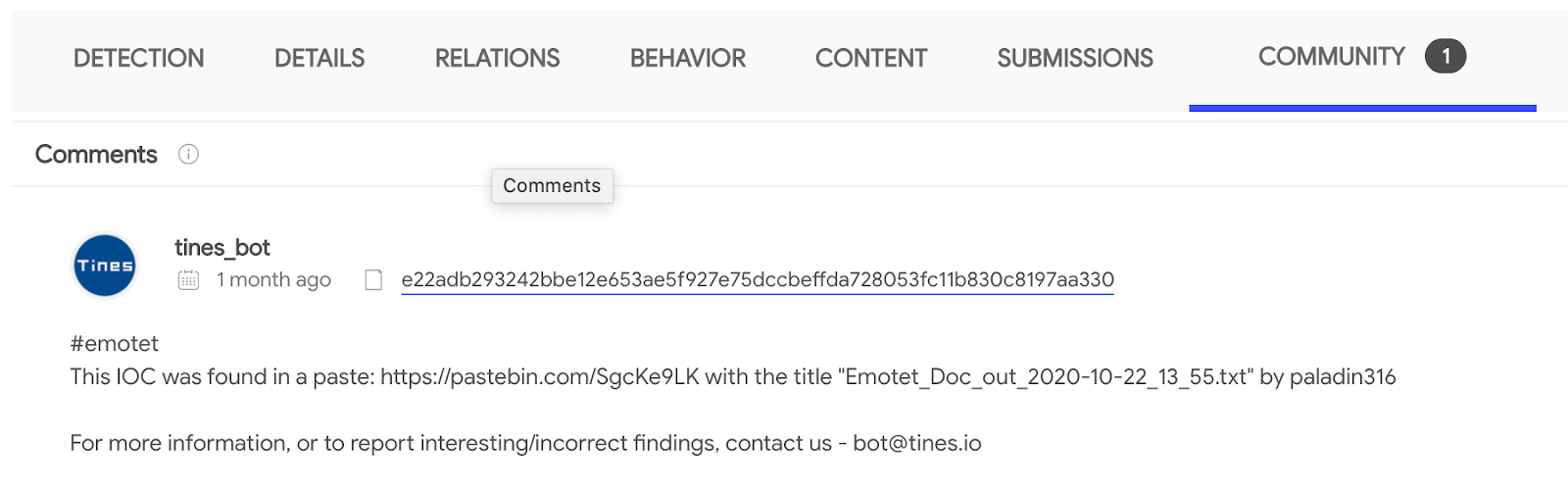
 This other case helps us understand that this first stage is EMOTET and allows us to jump into a pastebin dump with further context about the campaign in terms of related hashes and network infrastructure:
Additional context
The “have” modifier accepts many other values, some of the more representative ones are:
- compressed_parents: the files were seen inside a compressed file uploaded to VirusTotal.
- pcap_parents: the files were seen in a network traffic recording uploaded to VirusTotal.
- embedded_(urls/domains/ips): a URL/domain/IP address pattern was extracted from the binary bodies of the files.
- behaviour: the files managed to execute in at least one sandbox and produced the pertinent dynamic analysis report.
- behaviour_registry: the files executed in a sandbox and interacted with the Windows Registry.
- crowdsource_yara_rule: the files match some YARA rule coming from open source community repositories, these rules often provide additional references and descriptions about a threat.
Summing up
VirusTotal aggregates orthogonal means to cluster together groups of related files. Files which may belong to the same malware family/framework/campaign/actor. These file similarity vectors range from structural features to dynamic analysis observations.
We started off with a single IoC for which we had little context, neither did VirusTotal, beyond basic threat reputation. By leveraging file similarity we managed to find thousands of other files related to the campaign/malware framework. Through the “have” search modifier we then narrowed down our searches to identify phishing emails used by the attackers, distribution URLs, additional network infrastructure such as CnCs and context shared by other threat researchers.
All of this is tactical intelligence that can be fed into network perimeter defenses, but also context that can be operationalized and digested into TTPs in order to characterize threat actors. Finally, this blog post presented an incident response scenario but the very same logic can be applied to threat actor tracking or campaign monitoring use cases.
This post was authored by Emiliano Martinez.